Contact Form 7 Save To Database / CSV / PDF 2.2.3
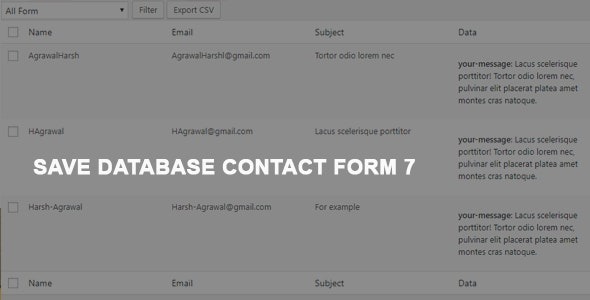
Contact Form 7 Save To Database / CSV / PDF stores every CF7 submission in your database and lets you export CSV or PDF with a click. This WordPress plugin gives you a reliable, searchable record of form responses, improving data management and compliance. Seamless CF7 integration and user-friendly exports make it a must-have tool.
Description
Contact Form 7 Save To Database / CSV / PDF is a WordPress plugin designed to archive every submission your Contact Form 7 forms receive. Instead of relying on email-only delivery, it stores entries in your WordPress database for reliable record keeping. This helps you review past submissions, support internal workflows, and maintain cleaner data handling for form-driven sites.
With seamless Contact Form 7 integration, the plugin tracks the forms you create in CF7 and keeps their submissions organized. When you need to share or analyze responses, you can export the stored data to CSV or PDF with a click, making it easier to use in spreadsheets, reports, or compliance documentation.
Main Features
- CF7 submission storage — Saves each Contact Form 7 form submission into the WordPress database.
- Database-backed records — Keeps a structured history of responses for later review.
- Form tracking — Maintains awareness of CF7 forms created in your WordPress setup.
- CSV export — Exports stored submissions to CSV for spreadsheet workflows.
- PDF export — Exports submissions to PDF for readable documentation and sharing.
- One-click exporting — Makes it straightforward to generate CSV/PDF output when needed.
- Admin-friendly access — Lets you manage and reference saved submissions from within WordPress.
Benefits
- Better data management — Centralizes form responses in your database instead of scattering them across inboxes.
- Faster reporting — Enables quick CSV/PDF exports for internal reviews and client-ready documentation.
- More reliable record keeping — Preserves submission history for follow-ups and audits.
- Improved workflow clarity — Keeps submissions tied to the CF7 forms you use, reducing confusion.
- Cleaner compliance handling — Supports structured retention and output of response data when you need it.
Who is it suitable for?
- Small business websites using Contact Form 7 for inquiries
- Agencies managing multiple CF7 forms across client projects
- Bloggers and content sites capturing leads through embedded forms
- Teams that need exportable records for reporting or documentation
- Organizations running form-based workflows on WordPress
- Developers building WordPress sites where response archiving is required