Contact Form 7 Builder And Designer 1.6.3
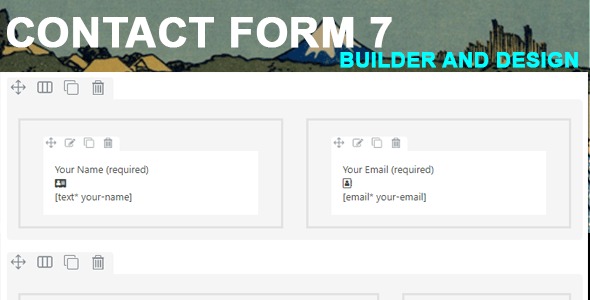
Contact Form 7 Builder And Designer makes form creation effortless for non-tech users, a Wordpress plugin that lets you drag and drop elements to build beautiful, functional forms in minutes. The main benefit is speed and usability—no coding needed, with powerful features and seamless integration. Easy design, fast results—give your site a professional edge today.
Description
Contact Form 7 Builder And Designer is a WordPress plugin designed to make form creation effortless for non-tech users. Instead of relying on a developer, you can build beautiful, functional Contact Form 7 forms using a visual drag-and-drop interface. It solves the common problem of slow, complicated form setup by letting you assemble elements quickly and without coding. The result is a smoother workflow for creating contact, inquiry, and other request forms directly inside your WordPress site.
With its easy design approach and form-focused features, the plugin helps you turn ideas into working forms in minutes, keeping your pages consistent and user-friendly.
Main Features
- Drag-and-drop form editor — Build your Contact Form 7 layout by placing elements visually.
- No-code form building — Create forms without writing HTML, CSS, or custom code.
- User-friendly for beginners — Lets people create forms without technical knowledge.
- Form element controls — Add the fields and components you need for practical form workflows.
- Design and structure customization — Adjust how your form looks and how users interact with it.
- Designed for Contact Form 7 — Works with Contact Form 7 so your site can use its standard form handling.
- Faster setup time — Assemble and finalize forms quickly to reduce turnaround.
- Practical “minutes to ready” workflow — Move from blank form to usable form without lengthy development cycles.
Benefits
- Quicker form creation — Drag-and-drop editing speeds up publishing and updates.
- Better usability — Visual design makes it easier to produce user-friendly forms.
- Less dependency on developers — No-code building reduces bottlenecks for small teams.
- More consistent look — Customizing structure and appearance helps keep forms aligned with your site.
- Higher likelihood of engagement — Clear, well-structured forms can improve user completion rates.
- Smaller maintenance effort — Rapid edits make it easier to refine forms as needs change.
Who is it suitable for?
- WooCommerce stores that need fast contact and inquiry forms
- Business websites running WordPress and Contact Form 7
- Freelancers and agencies managing multiple client sites
- Content creators who want simple form setup for audience questions
- Online schools and training sites collecting student inquiries
- Small teams or non-technical admins handling their own site updates