TfCounter 1.0.2 – Counter Widget For Elementor

Description
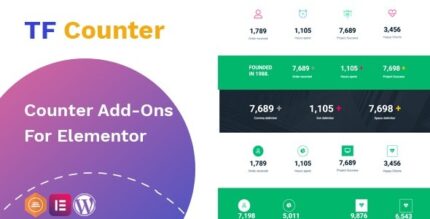
TfCounter is a WordPress plugin that adds a Counter addon for Elementor. It helps you design unlimited counters and place them anywhere on your website using a drag-and-drop workflow. If you want more engaging, dynamic stats on product, service, or landing pages, this widget turns simple numbers into polished visual elements. TfCounter is built to fit naturally with Elementor’s editor experience, so you can create layouts quickly and refine styles without complex setup.
With easy, PSD-like design control and flexible customization options, you can produce consistent counter sections that match your site theme and overall branding. Use it to improve how visitors perceive key metrics, highlights, and milestones as they scroll through your pages.
Main Features
- Unlimited counter designs — Create as many counter elements as you need for different pages and sections.
- Drag-and-drop Elementor widget — Add and arrange counters directly inside the Elementor page builder.
- PSD-like design workflow — Build counter layouts with a familiar, design-focused approach.
- Seamless Elementor integration — Works as a Counter widget in the Elementor editing panel for smooth placement.
- Flexible customization — Adjust counter appearance and layout options to fit your content and style.
- Member/section page friendly — Useful for creating member highlights, stats blocks, and section-based designs.
- Fast page creation — Recreate counter visuals quickly with straightforward editor controls.
- Polished final output — Produce clean, consistent counter sections that look intentional across the page.
Benefits
- More engaging pages — Visual counter blocks make key information easier to notice and understand.
- Higher conversions — Stronger metric presentation can support decision-making on landing and product pages.
- Better user engagement — Dynamic, well-designed stats encourage users to keep exploring.
- Improved UX — Elementor-based placement keeps edits simple and reduces friction during page building.
- Faster design iterations — PSD-like controls help you refine without rebuilding from scratch.
- Consistent branding — Custom styling helps counters match your theme and overall layout.
Who is it suitable for?
- WooCommerce store owners creating promotional and metrics sections
- Web designers using Elementor to build client landing pages
- Agencies producing multiple Elementor templates and content sections
- Content creators adding highlights, milestones, or performance stats
- Small businesses updating service pages with clear key metrics
- Online course or membership sites showcasing member/community achievements