WordPress Tooltip Ultimate 1.0.2 – Customisable Tooltip Generator
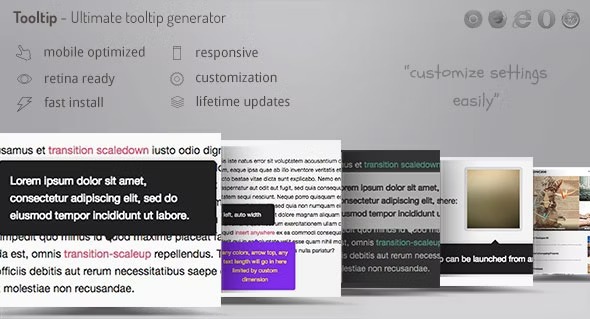
WordPress Tooltip Ultimate is a tooltip plugin that helps you convey context with beautiful, customizable tooltips. It lets you simply select text, generate a shortcode, and craft tooltips without touching code—saving time and improving UX with clear, inline hints. Designed for fast setup, elegant design, and seamless WordPress integration.
Description
WordPress Tooltip Ultimate is a tooltip plugin that helps you add clear, contextual hints to your content without touching code. In the WordPress editor, you can select the text you want to explain, use the shortcode generator, and enter the tooltip content in a guided workflow. It’s built for quick setup and integrates naturally with how WordPress posts and pages are created. The result is cleaner reading experiences, with helpful inline guidance that supports user understanding and reduces confusion.
Main Features
- Text selection workflow — Select the exact wording in the editor before creating a tooltip.
- Shortcode generator — Automatically generate a shortcode from your tooltip configuration.
- Tooltip content editor — Add and refine the tooltip text directly in the plugin interface.
- Customizable tooltip design — Style tooltips to match your site’s look and content tone.
- No-code tooltip creation — Build tooltips without writing HTML, CSS, or JavaScript.
- Inline context delivery — Provide explanations exactly where readers need them.
- Reusable shortcodes — Use generated shortcodes across pages and posts as needed.
- Seamless WordPress integration — Works within the standard WordPress content workflow.
Benefits
- Improved UX — Keeps users on track with clear inline hints instead of forcing page scanning.
- Higher content clarity — Explains complex terms at the moment they appear in your text.
- Less friction — Faster tooltip creation through selection + shortcode generation.
- Better engagement — Makes reading more interactive while maintaining a clean layout.
- Consistent presentation — Custom tooltip styling supports a unified design across posts and pages.
Who is it suitable for?
- WordPress site owners who want clearer explanations in articles and pages
- Bloggers creating long-form content with helpful definitions
- Marketing teams improving landing page comprehension without clutter
- Agencies building content-heavy WordPress websites for clients
- Education and knowledge-base sites that need inline guidance
- Content creators who prefer a no-code editor workflow