Contact Form 7 Data Storage 1.1
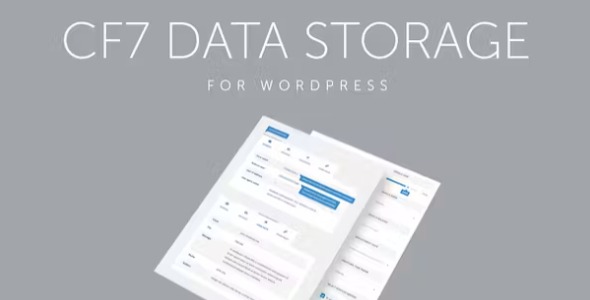
Effortlessly store and manage your form submissions with Contact Form 7 Data Storage, a lightweight WordPress plugin that saves submissions in your site database for easy display and export. The main benefit is instant access to all submissions without leaving WordPress, plus easy export and organization. A sleek design and seamless integration simplify data handling—explore it today.
Description
Contact Form 7 Data Storage is a lightweight WordPress plugin designed to save your Contact Form 7 form submissions directly in the WordPress database. Instead of only relying on email delivery, it gives you instant, in-dashboard access to the messages your visitors send.
With this plugin, you can store, display, manage, and export the data collected by your Contact Form 7 forms. It helps keep submission handling organized inside WordPress, making it easier to review results, reuse submission details, and move the data when needed.
Main Features
- Database storage for submissions — Saves Contact Form 7 entries in your WordPress database for quick retrieval.
- On-site display of submission data — Lets you view stored form entries from within the WordPress admin area.
- Submission management tools — Supports organizing and working with saved entries over time.
- Data export functionality — Enables exporting collected submission data for external use.
- Works with Contact Form 7 — Integrates specifically with the forms created in the Contact Form 7 plugin.
- Lightweight WordPress plugin — Focuses on straightforward data storage and retrieval without heavy overhead.
- Improved workflow inside WordPress — Centralizes submission handling so you don’t need to leave your site admin to work with entries.
Benefits
- Faster access to entries — Find and review messages instantly from WordPress, reducing time spent searching across emails.
- Better organization — Keep submission records structured in one place, making ongoing form management easier.
- Improved oversight — Make it simple to check what users submitted and ensure nothing is missed.
- Reliable export for reporting — Move stored submissions out when you need analysis, archiving, or backups.
- Cleaner data handling — Maintain a consistent process for storing and reusing Contact Form 7 submissions within your site.
Who is it suitable for?
- WooCommerce stores that rely on Contact Form 7 for customer inquiries.
- Business websites that need a centralized archive of contact messages.
- Agencies managing multiple WordPress sites and form workflows.
- Blog and content sites capturing leads or questions via Contact Form 7.
- Small teams that want submission review and export without extra tooling.