Wiloke Filter Cards Elementor Addon 1.0.0
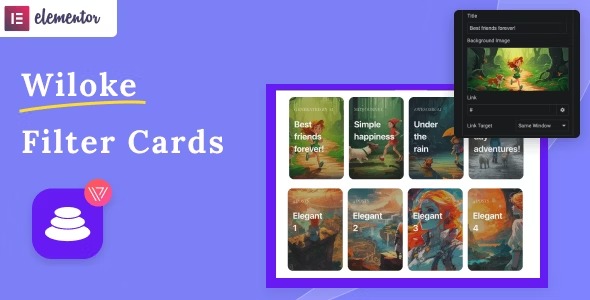
Wiloke Filter Cards Elementor Addon transforms posts, categories, or manually added items into beautiful card displays with eye-catching hover effects. This WordPress plugin delivers a modern, responsive layout that boosts engagement and time on page, with easy integration and flexible filtering. Elevate your portfolio or blog visuals and explore the power of card-style design today.
Description
Wiloke Filter Cards Elementor Addon is a WordPress plugin built for Elementor that turns your content into card-style layouts. It helps you present posts, post categories, or manually added items in a modern grid with eye-catching hover effects.
Instead of relying on basic lists, you can use filter controls to let visitors browse by topic and discover relevant cards faster. The result is a cleaner, more responsive presentation that supports better engagement and time on page.
Main Features
- Post-based card displays — Convert WordPress posts into stylish cards inside Elementor.
- Category filtering — Showcase cards by post categories for focused browsing.
- Manually added items — Create card collections beyond standard post queries.
- Hover effects — Apply attractive visual interactions when users move over cards.
- Responsive card layout — Maintain a modern look across mobile, tablet, and desktop screens.
- Flexible filtering UI — Enable visitors to narrow results without leaving the page.
- Elementor addon integration — Build the card section directly in Elementor’s editor.
- Sleek, modern design output — Present content in a structured, portfolio-like format.
Benefits
- Higher engagement — Card visuals and hover effects encourage users to interact more.
- Faster content discovery — Filtering helps visitors find relevant topics quickly.
- Improved UX — A clean card grid is easier to scan than long lists.
- Better on-page focus — Grouped cards reduce bounce by keeping attention on related items.
- Consistent presentation — Elementor-based layouts help maintain uniform styling across pages.
Who is it suitable for?
- Bloggers and content sites using Elementor
- Portfolio and agency websites that need card galleries
- Websites organizing content by WordPress categories
- Teams creating curated collections of items manually
- Marketers improving browsing experience on archives and landing pages