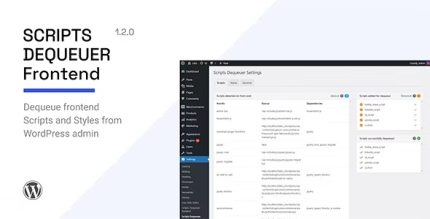
Scripts Dequeuer 1.2.0
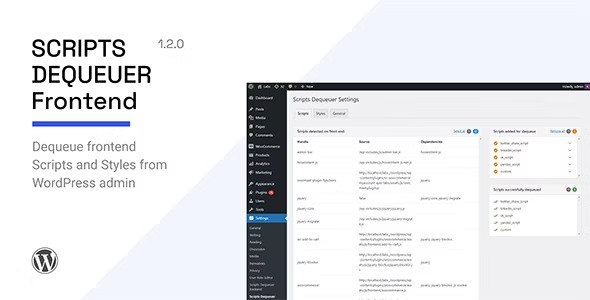
Scripts Dequeuer lets you dequeue WordPress frontend scripts and styles from the backend without touching code. As a WordPress plugin, you can select what to remove for instant load-time gains, boosting site speed and performance with minimal effort. Perfect for cleaner, faster pages—explore the power of selective dequeueing today.
Description
Scripts Dequeuer is a WordPress plugin designed to help you remove unnecessary frontend scripts and styles without editing theme or plugin code. When you keep extra assets enabled, pages can load slower and feel heavier than they need to be. This plugin lets you choose which scripts and styles to dequeue from the WordPress admin, so your public pages are lighter.
Instead of diving into templates, hooks, or code-level troubleshooting, you can manage dequeuing directly from the backend. The result is cleaner page output and more efficient asset loading, which can support better performance across common setups like WooCommerce stores, Elementor-based pages, and custom themes.
Main Features
- Select scripts to dequeue — Pick specific frontend JavaScript files to remove from page output.
- Select styles to dequeue — Choose which CSS files should be removed to reduce unused styling assets.
- Backend-based configuration — Manage dequeuing from the WordPress admin area instead of editing code.
- Instant dequeuing behavior — Selected scripts and styles are dequeued immediately based on your settings.
- No theme or template edits — Avoid changes to theme files, making updates less risky.
- Frontend-focused optimization — Targets assets that affect user-facing page performance.
- Works with existing WordPress setups — Use it alongside your current theme, plugins, and page layouts.
Benefits
- Faster page loads — Removing unused assets can reduce load time and improve responsiveness.
- Improved UX — Less background work and fewer downloads can make pages feel quicker.
- Higher conversion potential — Better performance can help visitors reach key actions more smoothly.
- More efficient performance audits — Leaner output can support stronger speed and quality test results.
- Better maintainability — Centralized settings reduce the need for code edits when optimizing.
Who is it suitable for?
- WooCommerce stores aiming to reduce unnecessary frontend assets.
- WordPress site owners improving Core Web Vitals and speed.
- Agencies managing multiple client sites with consistent optimization needs.
- Blog and content sites with pages built from themes and existing plugins.
- Teams using Elementor or other builders who want to streamline loaded assets.
- Developers maintaining performance without frequent template or hook changes.