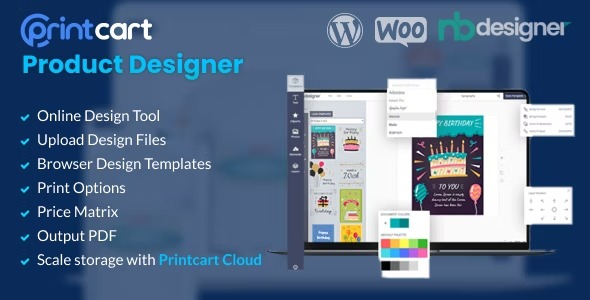
Printcart Product Designer WooCommerce WordPress 1.2.2
Description
Printcart Product Designer for WooCommerce WordPress is a plugin that helps online print shops add product personalization directly in their WordPress site. It streamlines how customers upload design media and how they customize product outputs during checkout in WooCommerce.
The plugin also addresses a common operational issue: media uploads can quickly become a storage burden, leading to slowdowns and unstable site performance. With Printcart’s approach to managing uploaded files, stores can keep media handling organized and reduce “storage headache” scenarios.
Built to work within the WordPress and WooCommerce ecosystem and designed to be easy to set up, it supports an intuitive customization workflow so customers can preview and create personalized products without extra manual steps.
Main Features
- Media upload handling — Enables customer uploads needed for print-ready product customization.
- Design customization workflow — Provides tools to configure product personalization within the WooCommerce flow.
- WooCommerce integration — Connects the product designer experience with WooCommerce product and ordering steps.
- WordPress-friendly setup — Fits into WordPress admin management for smoother day-to-day use.
- Media storage optimization — Helps prevent uploaded media from becoming a performance bottleneck.
- Site performance protection — Aims to avoid slowdowns caused by unmanaged upload growth.
- Intuitive editor tools — Keeps the customization process understandable for customers.
- Streamlined personalization creation — Reduces manual handling between uploaded assets and final product configuration.
Benefits
- Better UX for customization — Customers complete personalization without leaving the WooCommerce experience.
- Higher conversion potential — Clear, in-flow product configuration can improve purchase confidence.
- More stable site speed — Organized media handling helps reduce slowdowns as upload volume grows.
- Reduced storage strain — Limits the operational impact of increasing media uploads on your hosting environment.
- Simpler operations — A streamlined workflow lowers the need for manual steps around customer files.
Who is it suitable for?
- WooCommerce print shops offering personalized products (posters, apparel, signage).
- WordPress businesses that rely on customer file uploads for design services.
- Agencies building storefronts for print and customization clients.
- Ecommerce teams that want fewer site slowdowns from growing media libraries.
- Entrepreneurs launching print-on-demand catalogs with customization options.