WPZOOM Uniblock Pro 1.0.4
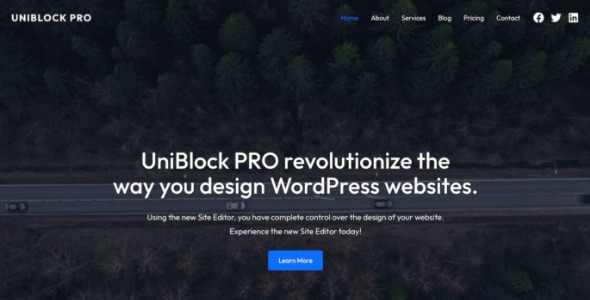
WPZOOM Uniblock Pro is a WordPress theme built for Full Site Editing, giving you total control over layout and global sections like header and footer with the new Theme Editor. Enjoy cohesive design with color, typography, and layout tweaks—no code required—plus a streamlined setup and modern UI that helps you launch a professional site faster.
Description
WPZOOM Uniblock Pro is a WordPress theme designed for Full Site Editing, so you can build and refine your site layout directly in the Theme Editor. It focuses on giving you practical control over both styling and structure without needing to touch code.
With Uniblock Pro, you can manage global sections like the header and footer and adjust overall typography, color, and layout to keep your design consistent. The modern interface and streamlined setup help you move from a new WordPress theme to a polished, professional website faster.
Main Features
- Full Site Editing support — Build and update site layouts using WordPress’s native Theme Editor.
- Theme Editor controls — Change not only styling, but also theme-driven layout elements.
- Global header customization — Edit the header design so it stays consistent across pages.
- Global footer customization — Update footer layout and content using the same editing workflow.
- Color and typography tweaks — Adjust palettes and text styles for a cohesive look.
- Layout adjustments — Refine structure and spacing to match your preferred page composition.
- Consistent design system — Keep headers, footers, and page styling aligned for better brand clarity.
- Streamlined theme setup — Start building quickly with a workflow aimed at faster launch.
Benefits
- Faster site building — Launch sooner with an editing-first approach inside WordPress.
- More design control — Shape layouts and global sections without relying on custom code.
- Cohesive UX — Ensure header/footer styling matches the rest of your pages for smoother navigation.
- Consistent branding — Maintain uniform typography and colors across the entire site.
- Clearer workflow — Use a modern Theme Editor experience to iterate design changes efficiently.
Who is it suitable for?
- New WordPress site builds using Full Site Editing
- WooCommerce store owners who want consistent global layouts
- Marketing agencies creating multi-page client websites
- Freelancers and creative studios needing fast theme iteration
- Content-driven blogs that benefit from consistent header and typography
- Small businesses updating their site structure without coding