WhatsApp Chat Support Pro 3.5.1 – WordPress Plugin
Description
WhatsHelp WhatsApp Chat Support Pro is a WordPress plugin that adds a WhatsApp chat button to your site, giving visitors a direct way to reach your support team on the messaging platform they already use. It helps solve the common problem of slow or hard-to-find contact options by enabling instant, friendly conversations. By using a WhatsApp-first support flow, you can guide customers from questions to actions with less friction. The plugin is designed to fit into WordPress sites using common page-building workflows, helping you place a clear call to message support. Features like customizable button styling, automatic message pre-fill, and offline messaging make it practical for both real-time support and lead capture when you’re unavailable.
Main Features
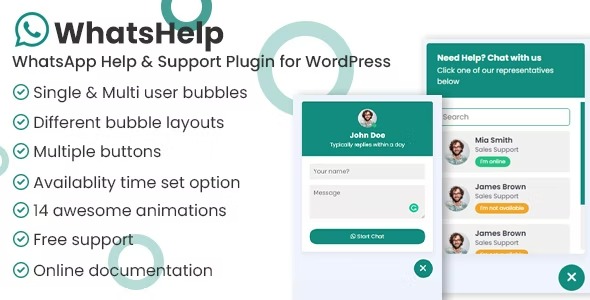
- WhatsApp chat button — Adds a clickable chat entry point to your website for quick contact via WhatsApp.
- Customizable button design — Lets you tailor the button appearance to match your site branding.
- Recipient configuration — Targets your WhatsApp contact so messages go to the correct support or sales channel.
- Auto pre-fill message — Pre-populates a message when visitors open the chat to speed up their first interaction.
- Offline message support — Shows an offline message so visitors can still leave a helpful note when WhatsApp isn’t available.
- Fast, direct messaging experience — Keeps the contact journey simple by routing users straight into a WhatsApp conversation.
Benefits
- Quicker support responses — The direct WhatsApp chat button reduces delays compared to traditional contact forms.
- Better customer experience — Visitors can communicate in a familiar app, improving overall usability and engagement.
- Higher conversions — Faster answers to questions help move prospects toward buying decisions.
- More consistent messages — Message pre-fill guides users to send relevant details from the start.
- Lead capture when offline — Offline messages help maintain communication even outside active support hours.
Who is it suitable for?
- WooCommerce stores needing quick product and order support
- Service businesses with customer inquiries and appointment questions
- Marketing agencies managing multiple WordPress client sites
- Blogs and content sites that want a simpler support contact route
- Landing page creators focused on WhatsApp-driven lead generation
- Small teams handling support and sales from a shared WhatsApp inbox