Codentor 1.0.0 – Code Highlighter Addon for Elementor
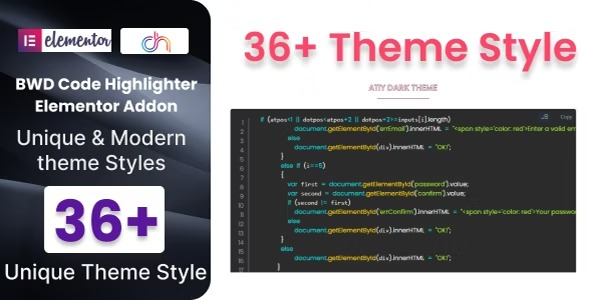
Codentor adds a clean, attractive code highlighter to your WordPress site with zero coding required, boosting readability and engagement. Designed for Elementor-based layouts, this lightweight plugin is easy to install and provides standout syntax highlighting with minimal effort.
Description
Codentor is a lightweight WordPress plugin that adds a clean, attractive code highlighter to your site without requiring any coding knowledge. It solves the common problem of hard-to-read snippets by applying clear syntax highlighting that makes technical content easier to scan. If you build with Elementor, Codentor is designed to fit naturally into Elementor-based layouts, so code blocks look consistent across your pages. The result is a more polished reading experience that can support higher engagement with developer tutorials, docs, and blog posts.
Main Features
- Clean code highlighting — Presents code snippets with a clear, readable visual style.
- Syntax highlighting — Highlights code structure to improve comprehension at a glance.
- Zero-coding setup — Lets you add highlighted code without technical changes.
- Elementor-friendly design — Supports Elementor-based page and layout workflows.
- Lightweight performance — Stays minimal so it won’t add heavy overhead to your WordPress site.
- Consistent appearance — Helps keep code blocks looking uniform across posts and pages.
- Easy installation — Works as a straightforward WordPress plugin install.
- Improved content readability — Makes long snippets and examples easier to follow.
Benefits
- Better UX — Clear highlighting improves readability for visitors exploring code examples.
- Higher engagement — Easier-to-scan snippets encourage users to keep reading and learning.
- More professional presentation — Code blocks look consistent and polished across Elementor pages.
- Reduced reader friction — Syntax clarity helps users understand where key elements begin and end.
- Content-ready for creators — Ideal for publishing technical posts, documentation, and guides with minimal effort.
Who is it suitable for?
- WordPress bloggers publishing tutorials or developer-focused articles
- Elementor users building documentation-style pages and landing sections
- WooCommerce store owners with knowledge bases or product developer notes
- Web agencies creating client sites with consistent code styling
- Online course creators sharing code examples and learning resources
- Freelance developers documenting snippets for portfolios and guides