Mentor Icon Pack for Codestar Framework 1.0.0
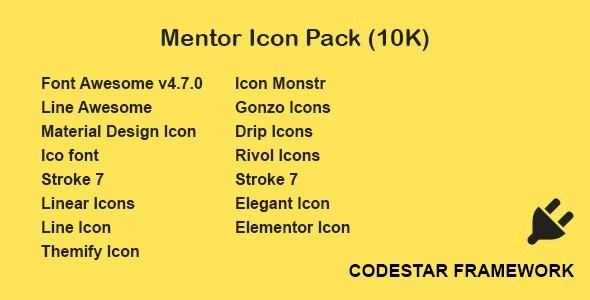
Mentor Icon Pack for Codestar Framework gives your WordPress site a ready-to-use icon set for Codestar meta boxes and theme options. It’s incredibly easy to implement—no coding needed—boosting UI clarity and navigation with a single plugin-style add-on. Ideal for fast, design-friendly customization that resonates with users.
Description
Mentor Icon Pack for Codestar Framework is a WordPress plugin-style add-on that provides a ready-to-use icon set built for the Codestar Framework. It’s designed to visually enhance Codestar meta boxes and theme options, making interface elements easier to recognize and work with. The pack is straightforward to implement, requiring no coding knowledge. Instead of building icons from scratch, you can select icons for Codestar “Icon Field” usage and keep your theme settings organized. This helps improve the clarity of your UI as your site grows and as users navigate configuration panels.
Main Features
- Codestar Framework icon set — Provides a collection of icons intended for use with Codestar-based interfaces.
- Codestar meta box support — Works with Codestar meta boxes that include icon-capable fields.
- Theme options compatibility — Helps you add icons to theme options managed through Codestar.
- Icon Field integration — Designed specifically for Codestar “Icon Field” setups so you can select icons without custom coding.
- No coding required — Simple, plugin-based usage for faster theme configuration.
- Ready-to-use collection — Provides practical icon choices to keep your settings UI consistent and structured.
- Clearer configuration experience — Adds visual cues that make options easier to scan and understand.
Benefits
- Better UI clarity — Icons improve readability in Codestar meta boxes and theme options.
- Smoother navigation — Visual grouping makes it easier for users to find the right setting quickly.
- Faster customization — Reduces time spent creating or sourcing icons manually.
- More intuitive UX — Clear icon choices support better decision-making when configuring content and theme behavior.
- Consistent design — Helps keep the look and labeling of theme settings aligned across pages and panels.
Who is it suitable for?
- Theme developers using Codestar Framework
- WordPress site owners customizing theme options
- Agencies building multiple client themes
- Website designers improving content editor UX
- Developers maintaining Codestar-powered meta boxes
- Teams that want icon-driven configuration without extra code