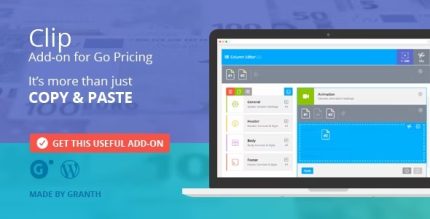
Clip 2.0.0 – Add-on for Go Pricing

Description
Clip is a WordPress add-on for Go Pricing that helps you build pricing tables faster and with less repeated work. When you’re preparing multiple plans or variations, copying content manually can slow down your workflow and introduce inconsistencies. Clip streamlines that process by letting you copy a single Row or an entire Column to the Clipboard with one click. It also supports reloading content using Drag & Drop, so you can reuse pricing layouts quickly while keeping your design aligned across the page.
Designed to fit naturally into the Go Pricing workflow, Clip improves efficiency for anyone creating pricing sections in WordPress with consistent layout structure. If you use Elementor or other page builders to place pricing blocks, Clip helps reduce the time spent rebuilding rows and columns from scratch. The result is a smoother setup process for your pricing pages.
Main Features
- One-click Row copy — Copy the content of a pricing Row to the Clipboard instantly.
- One-click Column copy — Copy the full content of a Column to the Clipboard in a single action.
- Clipboard reuse workflow — Paste reused pricing segments without recreating them manually.
- Drag & Drop reload — Reload copied content using Drag & Drop to quickly rebuild layouts.
- Go Pricing add-on — Works specifically with the Go Pricing plugin’s pricing table structure.
- Time-saving setup — Speeds up pricing table creation by reducing repetitive edits.
- Design consistency support — Helps maintain matching row and column structures across pricing plans.
Benefits
- Faster build times — Create pricing tables more quickly by reusing copied rows and columns.
- Reduced manual effort — Minimize repetitive editing when duplicating plan variations.
- Better UX on pricing pages — Keep layouts consistent so customers can scan plans more easily.
- More consistent design — Reuse the same structure to avoid mismatched sections.
- Streamlined workflow — Use one-click clipboard actions and Drag & Drop reload to move faster.
Who is it suitable for?
- WooCommerce store owners who update pricing plans and offers.
- WordPress site builders and agencies creating multiple pricing pages.
- Marketers managing frequent pricing changes or A/B plan variations.
- Content teams publishing product or service pricing sections.
- Teams using Go Pricing to standardize pricing table layouts across pages.