Osteo Image Hotspot for Wpbakery 1.0
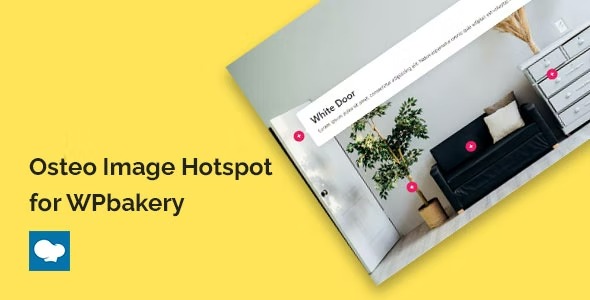
Osteo Image Hotspot for Wpbakery makes interactive image hotspots easy on WordPress. Add clickable hotspots to images in WPBakery, no coding required, boosting engagement and conversions. Its simple UI, seamless WPBakery integration, and clean design help you highlight key info fast—perfect to spice up galleries and guides.
Description
Osteo Image Hotspot for WPBakery is a WordPress plugin that adds interactive image hotspots to your WPBakery Page Builder layouts. Instead of static images, you can place clickable hotspots to draw attention to key information within galleries and guides. It’s designed to be easy to use, helping you create engaging visuals without writing any code. With seamless WPBakery integration and a clean workflow, you can highlight what matters faster and improve how visitors interact with your content.
Main Features
- WPBakery-ready image hotspots — Add hotspot interactions directly in WPBakery-built pages and sections.
- Click-enabled hotspot areas — Turn parts of an image into actionable, clickable hotspots for engagement.
- No-coding setup — Create hotspots using the plugin’s UI without needing developer skills.
- Quick editing workflow — Build and adjust hotspot content while working in your existing builder layout.
- Clean, focused design — Keep image highlights readable and aligned with the overall look of your page.
- Works with common image use cases — Ideal for product galleries, how-to sections, and informational visuals.
- Plugin-based extension — Extend WPBakery functionality to make images more interactive on WordPress.
Benefits
- Better engagement — Interactive hotspots encourage visitors to explore your content instead of passively viewing it.
- Clearer information — Highlight key points on the image where users’ attention naturally goes.
- Higher conversion potential — Clickable image areas can guide interest toward important next steps.
- More efficient page building — A simple UI reduces the time needed to create interactive image sections.
- Seamless UX in WPBakery — Hotspots fit naturally into WPBakery workflows for consistent editing and results.
Who is it suitable for?
- WordPress site owners using WPBakery Page Builder.
- WooCommerce store pages that need interactive product or feature imagery.
- Agencies building client websites with page-builder layouts.
- Content creators publishing guides, portfolios, and instructional visuals.
- Marketing teams improving engagement-focused landing pages.
- Small businesses that want clearer on-image calls to action.