
Osteo Image Hotspot for Elementor 1.0
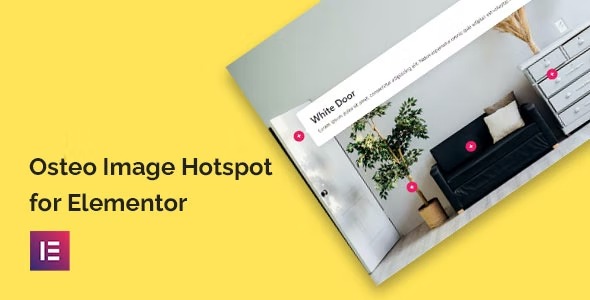
Discover Osteo Image Hotspot for Elementor, a WordPress image hotspot addon that lets you add interactive hotspots to images without coding. It streamlines explaining features with clean, responsive hotspots and enhances user engagement while integrating seamlessly with Elementor. Easy to use, lightweight, and built for quick setup—unlock richer visuals today.
Description
Osteo Image Hotspot for Elementor is a WordPress plugin that adds interactive image hotspots to your pages without coding. It helps you turn static visuals into guided, clickable experiences that explain key details as users explore. Built for Elementor, it fits naturally into your existing page-building workflow and works well for presenting products, services, or educational content. With clean, responsive hotspot placement and straightforward setup, you can publish richer visuals faster while keeping your layout consistent across devices.
Main Features
- Elementor-based hotspot widget — Create image hotspots directly inside the Elementor editor.
- No-code setup — Build interactive hotspots without any programming knowledge.
- Interactive hotspots on images — Add clickable points that reveal supporting information.
- Responsive hotspot positioning — Keep hotspots aligned and usable on different screen sizes.
- Clear hotspot content areas — Use concise hotspot details to explain features directly where users look.
- Lightweight behavior — Designed to remain efficient for everyday site builds.
- Seamless WordPress integration — Use it with your WordPress pages and Elementor templates.
- Quick page setup — Streamline the process of enhancing images with interactive markers.
Benefits
- Better user understanding — Helps visitors learn what matters without scrolling or searching.
- Higher engagement — Encourages interaction with images, improving overall on-page experience.
- Improved UX on mobile — Responsive hotspots support easier viewing and tapping across devices.
- More conversions — Clear feature explanations can reduce confusion during decision-making.
- Faster content creation — Streamlined setup reduces time spent preparing visual explanations.
- SEO-friendly presentation — Enhances content richness and usability, supporting stronger user signals.
Who is it suitable for?
- Elementor users who want interactive visuals on WordPress
- WooCommerce stores showcasing product features with images
- Agencies building client websites with template-style workflows
- Course creators and online schools presenting lesson concepts visually
- Clinics, portfolios, and service providers explaining specialties with hotspots
- Content creators who publish guides, documentation, and feature breakdowns
