Osteo Image Compare for Elementor 1.0
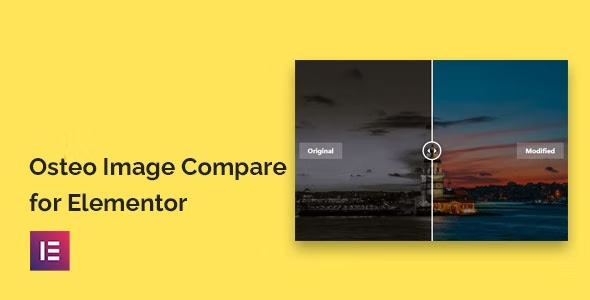
Osteo Image Compare for Elementor lets you build stunning before/after image comparisons in WordPress with zero coding. It’s easy to use, integrates seamlessly with Elementor, and highlights visual differences to boost engagement and conversions. A lightweight, user-friendly tool for showcasing visuals—perfect for galleries, case studies, and product demos.
Description
Osteo Image Compare for Elementor is a WordPress plugin that adds an image comparison feature to the Elementor Page Builder. With it, you can create clear before/after visual comparisons without any coding. It’s designed to be easy to set up and quick to place into your pages using Elementor’s editor. This helps solve a common problem in visual websites: showing changes and improvements in a way that users can instantly understand. Osteo is a lightweight way to enhance galleries, case studies, and product demos with engaging, comparison-driven storytelling.
Main Features
- Elementor image compare widget — Build before/after image comparisons directly inside Elementor.
- No coding required — Create comparisons without technical setup or custom scripts.
- Works in WordPress — Add comparison sections to any WordPress site using the standard page-building workflow.
- Before/after visual showcase — Present changes side-by-side to make differences easy to spot.
- Easy placement in the editor — Insert the comparison element where it fits your layout with Elementor.
- Designed for visual pages — Suitable for galleries, case studies, and product demo sections.
- Lightweight addon — Adds comparison functionality without overcomplicating your build.
Benefits
- Higher engagement — Visitors spend more time reviewing visual differences.
- Clearer messaging — Users understand improvement stories faster through direct comparison.
- Better UX — A focused visual format reduces confusion compared to static images.
- Stronger conversions — More confident product and service evaluation can lead to more actions.
- Faster page creation — A purpose-built Elementor plugin streamlines how you publish visual updates.
- Consistent design workflow — Keeps your site building process aligned with your Elementor layouts and templates.
Who is it suitable for?
- Marketing agencies building Elementor-based client websites
- WooCommerce stores creating product improvement and demo pages
- Portfolio and case study sites that need visual proof
- Content creators publishing before/after galleries
- Designers and freelancers using Elementor templates for faster delivery
- Landing pages for services where results need to be shown visually