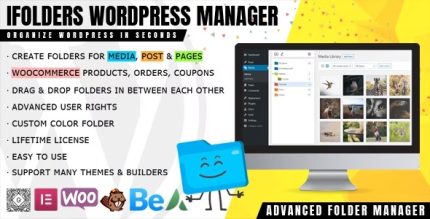
iFolders 1.3.7 – Ultimate WordPress & Woo Folder Manager

iFolders is a WordPress plugin that helps you manage thousands of posts, pages, media, and custom post types with speed and ease. It streamlines organization, delivers faster workflows for editors, and scales with your site—a simple, powerful way to take control of your content.
Description
iFolders is a WordPress plugin designed to help you manage large volumes of content—posts, pages, media files, and custom post types—without losing track of what’s where.
When your site grows, organizing editors, workflow, and assets inside the WordPress admin can slow down. iFolders streamlines content organization so teams can find, manage, and maintain items more efficiently.
Built for speed and scalability, it supports handling thousands of items with an approach that’s straightforward to use in day-to-day WordPress publishing.
Main Features
- Folder-style organization — Structure and group posts, pages, and media for easier navigation.
- Custom post type support — Manage content created with CPTs alongside standard WordPress items.
- Bulk content handling — Manage large collections of files and entries without cumbersome manual sorting.
- Fast browsing and workflows — Streamline editor routines to reduce time spent locating content.
- Scales with growing sites — Keeps organization practical as your content library expands into the thousands.
- Centralized content management — Bring related items together so your team works from the same structure.
- Improved editorial control — Make it easier to maintain a consistent approach to content and assets.
- Works inside WordPress admin — Fits into your existing WordPress content management process.
Benefits
- Faster editing — Easier locating of posts, pages, and media reduces workflow delays.
- Better UX for editors — A clearer organization model supports smoother day-to-day publishing.
- Less content clutter — Folder-style grouping helps keep assets and entries organized.
- Higher productivity — Streamlined management supports quicker updates and handoffs.
- Scalable content operations — Designed to stay practical as your WordPress library grows.
Who is it suitable for?
- WordPress sites with thousands of posts or pages
- WooCommerce stores that manage extensive product-related media
- Content-heavy blogs and editorial teams
- Agencies managing multiple client WordPress projects
- Websites using custom post types for structured content
- Teams that need clearer asset and document organization