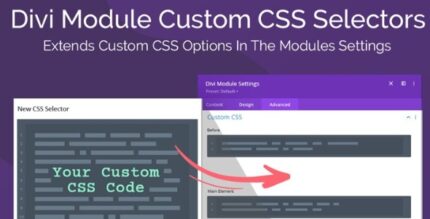
Divi Module Custom CSS Selectors 1.0.3

Divi Module Custom CSS Selectors lets you target Divi modules with 500+ new selectors, so you can write precise, responsive CSS directly from each module. Save time by bypassing browser searches and applying laser-focused styling that works on every device, including hover states. Type: WordPress plugin.
Description
Divi Module Custom CSS Selectors is a WordPress plugin that expands how you style Divi Builder modules with precise, module-level CSS selectors. Instead of digging through stylesheets or constantly checking browser developer tools to find the right selector, this plugin brings more targeting options directly into the module workflow.
With 500+ additional selectors, you can write refined, responsive CSS for specific module elements, including hover states. It’s designed to help you iterate faster, keep styling organized, and apply device-appropriate tweaks across breakpoints without manually managing endless media queries.
Main Features
- 500+ additional selectors — Adds over 500 new CSS selectors for Divi module elements beyond the default set.
- Module-specific targeting — Lets you target the exact parts of a Divi module rather than relying on broad, site-wide selectors.
- Write CSS directly for modules — Supports authoring focused CSS for the module you’re configuring, reducing time spent searching.
- Responsive styling support — Enables styling that works across device sizes and Divi breakpoints.
- Hover state selectors — Includes selectors for hover states so you can style interactions without extra guesswork.
- Less time in developer tools — Helps you avoid repetitive selector hunting in the stylesheet and in browser tools.
- Fewer manual media queries — Designed to streamline responsive code so you don’t write countless media query blocks.
- Faster iteration — Makes it quicker to test and refine styling by connecting selectors with the module being edited.
Benefits
- More precise design control — Target specific module elements for cleaner, more predictable styling results.
- Higher productivity — Reduce time spent locating selectors, speeding up the styling process.
- Better UX on interactions — Apply hover styling consistently to improve visual feedback and usability.
- Smarter responsive output — Style across breakpoints without maintaining lengthy media query files.
- Improved workflow clarity — Keep CSS changes tied to the module context for easier review and updates.
Who is it suitable for?
- Divi website owners who want more control over module styling
- WooCommerce store builders using Divi modules for product and cart layouts
- Web designers and developers customizing Divi Builder pages
- Agencies managing multiple Divi client sites with reusable styling approaches
- Content creators refining page layouts and hover interactions
- Teams building responsive marketing pages with consistent module-based design