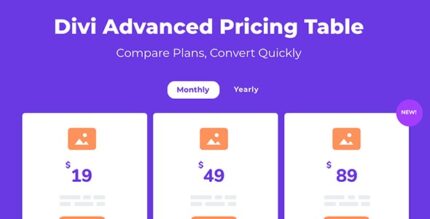
Advanced Pricing Table For Divi 1.0.4

Description
Advanced Pricing Table For Divi is a WordPress plugin designed for sites using the Divi theme, helping you create clear, concise pricing tables that visitors can understand quickly. Instead of being limited by a fixed layout, it gives you fine control over how each pricing element is shown and where it appears. This solves the common problem of pricing sections looking cluttered, inconsistent, or hard to compare. With flexible toggles/tabs, tooltips, and visual plan highlights, you can present plans in a more organized way that supports better decision-making.
Whether you’re publishing a new pricing page or refining an existing one, the module helps you build pixel-perfect tables with an easy editing workflow in the Divi ecosystem, so your pricing display stays aligned with your design goals and branding.
Main Features
- Flexible vertical pricing layout — Control the vertical arrangement of pricing components for a cleaner presentation.
- Enable, disable, and reposition elements — Turn sections on/off and move items such as price placement above or below titles.
- Toggle or tabs display — Switch between pricing views using tabs or toggles.
- 11 available pricing elements — Choose from a set of configurable elements when building your table.
- Feature tooltips — Add tooltips to explain details without overcrowding the layout.
- Feature icon support — Use icons to communicate plan details visually alongside text.
- Badges for plan emphasis — Highlight selected plans using badge styles for quick recognition.
- Equal height rows — Keep rows aligned for a consistent, easy-to-scan structure.
- Drag-and-drop positioning — Rearrange elements within the module to match your preferred layout.
Benefits
- Clearer plan comparison — Flexible layout controls and equal-height rows improve readability across options.
- More effective decision support — Tooltips and feature icons provide extra context without clutter.
- Higher engagement — Tabs or toggles make it easier for visitors to explore different pricing views.
- Stronger visual hierarchy — Badges help draw attention to featured or recommended plans.
- Better UX for pricing pages — Ability to disable and reposition elements ensures the table matches user expectations.
Who is it suitable for?
- WordPress sites using the Divi theme that need a more customizable pricing table
- Businesses updating subscription or tiered plans on their marketing pages
- Agencies building pricing layouts for multiple client websites
- Content creators and landing-page publishers refining offer clarity
- Teams creating membership-style pricing sections for services or products
- Websites that need tooltips, badges, and controlled element placement for better scanning