Advanced Justified Blog Layout Design 1.0.0
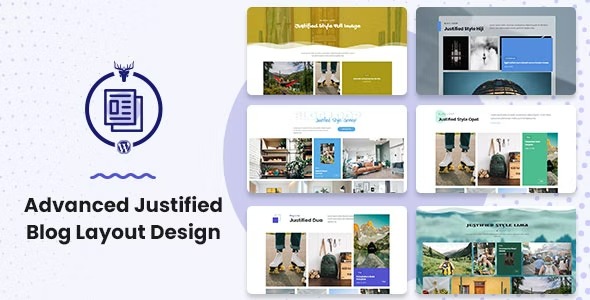
Advanced Justified Blog Layout Design offers a highly customizable justified grid to boost readability and visual appeal on your WordPress blog. As a module for the Blog Layout Awesome plugin, it extends options and ensures seamless integration for a polished, professional look. Perfect for creators who want design flexibility with easy setup.
Description
Advanced Justified Blog Layout Design is a WordPress plugin module that brings a highly customizable justified grid to your blog posts. By building on the Blog Layout Awesome plugin, it expands layout options so your content can be displayed with cleaner alignment and improved visual rhythm.
Instead of leaving readers with uneven rows, this justified layout approach helps posts form more consistent, readable groupings. It’s designed for an easy setup within your existing WordPress workflow, supporting a polished, professional look without forcing a redesign of your site.
Main Features
- Justified grid layout — Displays blog items in a justified, grid-style arrangement for a tidy visual structure.
- Module for Blog Layout Awesome — Works as an additional function inside the Blog Layout Awesome plugin for extended control.
- Additional customization options — Provides more settings than the base plugin to fine-tune the justified presentation.
- Justified layout optimization — Helps optimize how elements are visually balanced within the justified grid.
- Seamless WordPress integration — Adds the justified design functionality within your WordPress setup alongside the main plugin.
- Layout-focused design — Keeps attention on blog content by using a structured, readability-oriented grid format.
- Configurable via plugin settings — Lets you adjust the justified blog layout without complex code changes.
Benefits
- Better readability — More consistent row formation can make scanning posts feel smoother.
- Improved visual appeal — A justified grid helps avoid awkward spacing and supports a more polished presentation.
- More layout flexibility — Extended customization options make it easier to match your blog’s style and content flow.
- Stronger user experience — Cleaner organization reduces distraction and supports focused browsing.
- Design consistency — Optimization helps maintain a uniform look across different blog content.
Who is it suitable for?
- WordPress bloggers who want a justified, grid-based post layout
- WooCommerce store blogs aiming for more readable category and archive pages
- Content creators and editorial teams managing frequent posts
- Web designers using Blog Layout Awesome to expand layout controls
- Agencies building consistent blog templates for multiple clients
- Marketing teams who need a tidy layout for campaign-related articles