Advanced Carousel Blog Layout Design 1.0
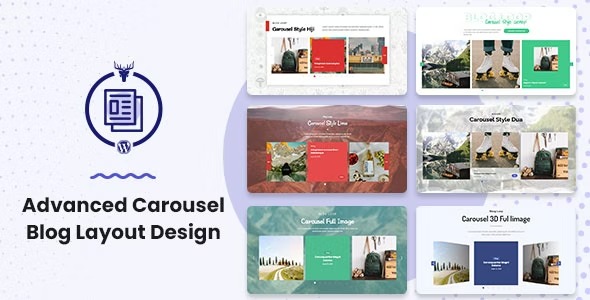
Advanced Carousel Blog Layout Design unlocks responsive, highly customizable carousel blog layouts within the Blog Layout Awesome plugin for Wordpress. Get richer design options and optimized carousel performance to boost engagement, with easy integration and a smoother workflow.
Description
Advanced Carousel Blog Layout Design is a WordPress add-on for the Blog Layout Awesome plugin that helps you create responsive, highly customizable carousel-style blog layouts. It addresses the common problem of static post grids by presenting recent or featured content in a swipeable carousel format that’s easier to browse. This module extends your layout options while focusing on carousel layout optimization for smoother on-site performance. The result is a richer visual experience for visitors, built with a more efficient workflow inside WordPress.
Main Features
- Carousel layout builder for blogs — Adds carousel-based blog sections as an additional function inside the Blog Layout Awesome WordPress plugin.
- Expanded customization options — Lets you fine-tune how blog content is arranged to match your page design goals.
- Responsive carousel behavior — Keeps carousel blog layouts readable and usable across mobile, tablet, and desktop screens.
- Carousel layout optimization — Improves how the carousel is structured and rendered to support smoother visitor interaction.
- Seamless integration — Works with the existing Blog Layout Awesome setup so you can reuse your current layout workflow.
- Design-focused layout control — Helps you present posts in a more visually engaging format than standard list or grid views.
- Flexible carousel blog usage — Supports creating carousel layouts for blog sections where you want rotating or highlighted content.
Benefits
- Better engagement — Carousel presentation encourages visitors to explore more content in less time.
- Improved UX — Swipeable, responsive layouts make browsing posts feel more natural on every device.
- Richer visual design — Customizable carousel styling supports a more distinctive blog experience.
- Smoother performance — Carousel optimization helps reduce friction during interaction and page navigation.
- Easier content iteration — Integrating with Blog Layout Awesome streamlines the process of building and adjusting layouts.
Who is it suitable for?
- WordPress bloggers who want a more engaging way to showcase posts.
- Magazine and news websites featuring recurring highlights or featured articles.
- Content-driven businesses maintaining a modern blog layout for visitors.
- Web agencies using Blog Layout Awesome to deliver custom WordPress designs.
- Website owners who prefer carousel-based UI patterns over static grids.
- Designers building reusable blog section layouts across multiple pages.