Wiloke Button Plus for Elementor 1.0.21
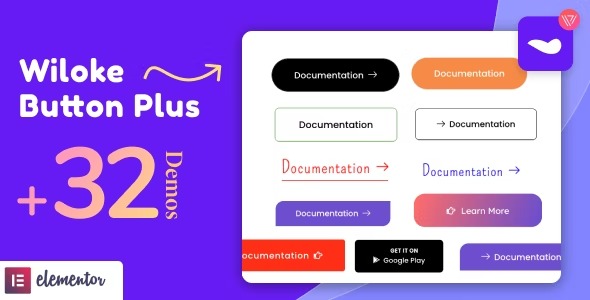
Wiloke Button Plus for Elementor empowers you to craft eye-catching, conversion-optimized CTAs within Elementor, boosting click-through and sales on Wordpress sites. The main benefit is higher conversion rates with design-ready, customizable buttons. Extra advantage: seamless Elementor integration and mobile-friendly, A/B tested options.
Description
Wiloke Button Plus for Elementor is a WordPress plugin designed to help you build eye-catching, conversion-optimized call-to-action (CTA) buttons directly inside Elementor. It solves the common problem of creating CTAs that look good but don’t consistently earn clicks by offering design-ready, customizable button options.
With seamless Elementor integration, you can place and style buttons in the exact sections where users decide to act. The plugin also supports mobile-friendly designs and includes A/B tested options to help you refine performance over time on your WordPress site.
Main Features
- CTA button builder for Elementor — Create conversion-focused buttons inside the Elementor editor without switching tools.
- Customizable button styles — Adjust the look of CTAs to match your branding and page design.
- Design-ready button templates — Start from pre-built button options for faster setup and consistent layout.
- Elementor-friendly placement — Insert buttons into your existing pages, sections, and layouts using Elementor controls.
- Mobile-friendly CTA output — Ensure button presentation remains usable and clear on smaller screens.
- A/B tested button options — Run comparisons to identify button variations that perform better.
- Conversion-focused configuration — Use CTA design decisions that are intended to improve click-through and sales.
- Works on WordPress sites — Fits naturally into a typical WordPress + Elementor workflow.
Benefits
- Higher click-through — Better CTA design and testing help users take action more often.
- More conversions — Conversion-optimized button options support improved sales outcomes on WordPress.
- Better UX on mobile — Mobile-friendly styling keeps CTAs readable and tappable.
- Faster content creation — Design-ready templates speed up CTA setup in Elementor.
- Data-informed improvements — A/B tested options guide refinements based on real variation performance.
Who is it suitable for?
- WooCommerce stores building product and checkout CTAs
- Business websites using Elementor for landing pages
- Marketing teams optimizing campaigns and lead capture
- Design agencies creating Elementor-based client sites
- Content creators adding CTAs to posts and media pages