Webinar Info 1.4 – Plugin for Elementor
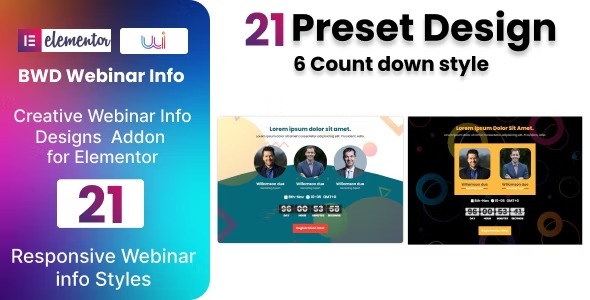
Webinar Info is a lightweight plugin for WordPress that adds an attractive webinar info section to your site with Elementor, no coding needed. It highlights schedule, speakers, and registration in a clean, modern design, delivering the main benefit of quick, engaging pages. Easy to customize and integrate, it’s a smart choice for faster webinar setup—explore it today.
Description
Webinar Info is a lightweight WordPress plugin designed to help you publish a polished webinar information section without coding. Built as an Elementor base plugin, it lets you create a clean, modern area on your site where visitors can quickly find what they need.
With Webinar Info, you can highlight key details such as the webinar schedule, speakers, and registration information in a focused layout that works well on content pages and landing pages. It’s useful when you want an engaging webinar setup that’s faster to build and easier to maintain.
Main Features
- Elementor-first setup — Create and place the webinar info section directly in the Elementor editor.
- Schedule display — Show the webinar date and time clearly within the info section.
- Speakers highlight — Present speaker details in a dedicated, organized layout.
- Registration section — Include a dedicated area for registration information to guide visitors.
- No-code editing — Customize the section’s content from the WordPress/Elementor interface.
- Clean, modern design — Use an attractive webinar layout that keeps details easy to scan.
- Lightweight implementation — Keep setup simple with a plugin built for quick onboarding.
- Easy customization — Adjust the webinar info presentation to match your page content and structure.
Benefits
- Faster webinar pages — Assemble essential webinar details quickly in Elementor instead of building from scratch.
- Clearer event info — Visitors can scan schedule, speakers, and registration details without searching.
- Better on-page UX — A focused section improves readability and supports more engaged viewing.
- More consistent formatting — Maintain a uniform webinar presentation across posts, pages, or landing content.
- Lower maintenance effort — Update webinar content directly through the editor as events change.
Who is it suitable for?
- WooCommerce stores running webinars for product education or launches.
- Training sites and online schools publishing recurring live sessions.
- Marketing agencies creating webinar landing pages for multiple clients.
- Coaches and course creators who need fast, consistent webinar announcements.
- Businesses hosting product demos, workshops, or onboarding events.
- Content creators managing events and speaker-led webinars on WordPress.