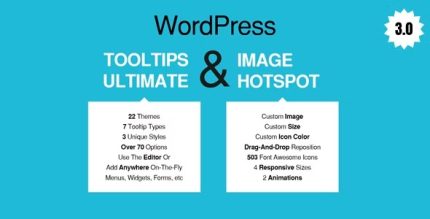
WordPress Tooltips Ultimate & Image Hotspot 2.34
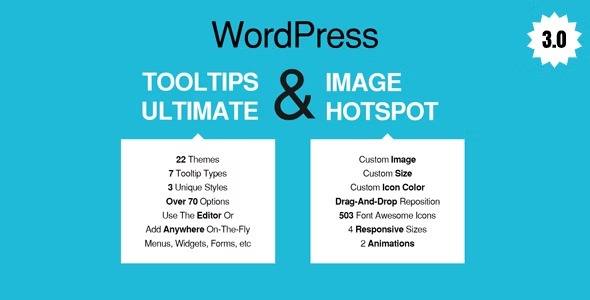
WordPress Tooltips Ultimate & Image Hotspot lets you add tooltips anywhere on your site with a Live Tooltip button in the WordPress toolbar, boosting user engagement and clarity. It provides quick, on-the-fly guidance and interactive image hotspots to enhance UX without any coding. Easy to use, beautifully designed, and seamlessly integrated—explore the potential today.
Description
WordPress Tooltips Ultimate & Image Hotspot is a WordPress plugin that helps you add helpful tooltips anywhere on your site without writing code. You can create tooltips on the fly using a Live Tooltip button available in the WordPress toolbar, so guidance is quick to add and easy to maintain. It also includes interactive image hotspots that let you highlight key areas of an image and attach tooltip-style information. This combination improves clarity for visitors, supports better navigation of content, and enhances overall user experience with minimal setup.
Main Features
- Live Tooltip button in toolbar — Start adding tooltips directly from the WordPress toolbar while you edit.
- Add tooltips anywhere — Place tooltip triggers in content where users need quick explanations.
- On-the-fly tooltip creation — Create tooltips quickly during editing to iterate faster.
- Interactive image hotspots — Highlight specific image areas and associate tooltip information with them.
- No-coding setup — Build tooltip and hotspot guidance without custom development.
- Editor-friendly workflow — Designed to fit naturally into the way you update WordPress pages and posts.
- Clear, UX-focused presentation — Use tooltip-style microcopy to reduce confusion and support scanning.
- Seamless integration — Works as a dedicated plugin inside your WordPress setup.
Benefits
- Higher engagement — Visitors interact with tooltips and hotspots instead of searching for answers.
- Improved clarity — Contextual explanations reduce misunderstandings and friction.
- Better user experience — Interactive guidance makes content easier to follow, especially on complex pages.
- Faster content updates — On-the-fly tooltip creation supports quick adjustments as your content changes.
- More conversion-ready UX — Clear instructions can help users take the next step with confidence.
Who is it suitable for?
- WooCommerce stores that want clearer product and checkout guidance.
- Corporate and service websites explaining features, plans, or policies.
- Blogs and knowledge bases that need contextual definitions and help text.
- Agencies managing multiple WordPress client sites and frequent updates.
- Landing pages where visitors benefit from quick, inline explanations.
- Portfolio and documentation-style pages using images with highlighted details.