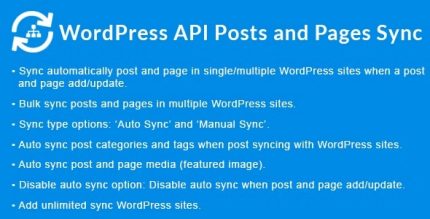
WordPress API Posts and Pages Sync with Multiple WordPress Sites 1.7.3

WordPress API Posts and Pages Sync with Multiple WordPress Sites automates syncing posts and pages across several WordPress sites whenever you add or update content, with bulk sync for large libraries. It delivers cross-site consistency, fast setup, and reliable updates—perfect for agencies and multisite networks. Type: Wordpress.
Description
WordPress API Posts and Pages Sync with Multiple WordPress Sites is a WordPress plugin that helps you keep content consistent across several WordPress sites. It automatically syncs posts and pages using the WordPress API whenever you add or update content on a source site.
Instead of manually recreating pages or copying posts one-by-one, you can rely on automatic, cross-site updates to reduce errors and keep your network aligned. The plugin also supports bulk syncing for larger content libraries, which is useful during migrations, restructures, or ongoing editorial workflows.
Main Features
- Automatic sync on changes — Triggers syncing when posts or pages are added or updated.
- Post synchronization — Copies and updates WordPress posts across connected sites.
- Page synchronization — Keeps WordPress pages aligned between multiple sites.
- Multiple site support — Syncs content from one WordPress site to several target sites.
- Bulk sync for libraries — Enables large-scale syncing when you need to process many items.
- API-based workflow — Uses WordPress API communication to move content between sites.
- Cross-site consistency — Helps maintain the same content structure across your network.
- Streamlined setup — Designed for quick configuration across multisite or multi-client environments.
Benefits
- Less manual work — Reduces repetitive copying of posts and pages across sites.
- Fewer content inconsistencies — Keeps updates synchronized so visitors see current information.
- Faster publishing workflows — Supports bulk syncing for large libraries and batches.
- More reliable updates — Maintains dependable cross-site refreshes after edits.
- Better UX across the network — Aligns navigation and page content for smoother user experiences.
- Operational scalability — Makes it easier to manage multiple WordPress sites without expanding admin effort.
Who is it suitable for?
- Agencies managing multiple WordPress client sites
- Multisite networks that need consistent posts and pages
- Teams running content-heavy publishing calendars
- Developers migrating or restructuring WordPress content
- Website owners operating regional or segmented site variants
- Editorial groups coordinating updates across many deployments