Grider 1.0.9 – Grid of Content and Products for Elementor
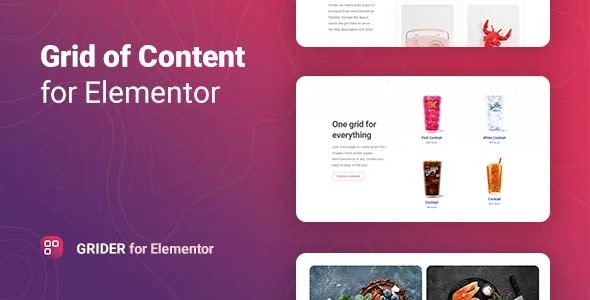
Grider is a plugin for Elementor on WordPress that builds stunning content grids from posts, WooCommerce products, images, or custom items. It delivers responsive, visually engaging layouts that boost user engagement and conversions with minimal setup. Ideal for creative, easy-to-manage grids that integrate smoothly with your site design.
Description
Grider is a WordPress plugin built for Elementor that helps you create stunning content grids with minimal setup. Instead of manually arranging cards and sections, you can generate responsive layouts from real site data and media.
With Grider, you can build grids from WordPress posts, WooCommerce products, simple images, or custom items, then style them to match your theme and page design. The result is a cleaner browsing experience that encourages visitors to explore more.
Main Features
- Elementor-based grid builder — Create and place content grids directly within the Elementor editor.
- Post-driven layouts — Build grids from WordPress posts to showcase blog or newsroom content.
- WooCommerce product grids — Display WooCommerce products in a structured, visually engaging layout.
- Image and media support — Use simple images as grid content for galleries and visual collections.
- Custom items — Include custom item sets for flexible grid use cases beyond standard posts.
- Responsive display — Ensure your grid adapts cleanly across devices for consistent UX.
- Design-friendly styling — Match your site’s look by refining how grid elements appear within your theme.
- Minimal setup workflow — Build grids quickly without complex configuration steps.
Benefits
- Higher engagement — Visually organized content helps users scan and click through more easily.
- Better conversions — Product and content presentation supports more meaningful actions, especially for WooCommerce listings.
- Improved UX — Responsive grids keep layouts readable and consistent on mobile and desktop.
- More time saved — Faster grid creation reduces the effort of manual card layouts.
- Seamless site integration — Styling that aligns with your theme keeps pages cohesive across templates.
Who is it suitable for?
- WooCommerce store owners who want product grids inside Elementor pages
- Blog and editorial sites that publish WordPress posts in grid layouts
- Creative agencies building client landing pages with consistent design blocks
- Content creators who need image galleries and structured collections
- Small businesses using WordPress templates and Elementor for fast site updates