phpSearch 5.2.0 – Search Engine Platform
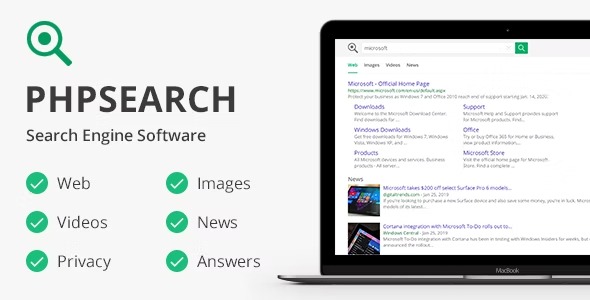
phpSearch, a Wordpress plugin, empowers you to deliver fast, relevant search across the web or your site using Bing’s API to index pages, images, videos, and news. Users get immediate, accurate results, boosting engagement and conversions. An easy setup and seamless integration make it the smart choice for powerful site-wide search.
Description
phpSearch is a WordPress plugin that powers fast, relevant search for both your own site and the broader web using Bing’s API. It helps address the common problem of slow or limited site search by returning results quickly and in a format users expect. With a single search experience, visitors can find what they need across web pages, images, videos, and news. The result is a smoother journey from query to content, improving engagement on content-heavy WordPress sites.
As a PHP-based integration for WordPress, phpSearch is designed for straightforward setup and seamless use within your existing site templates, so you can offer an effective search experience without disrupting your workflow.
Main Features
- Bing’s API-powered search — Uses Bing’s API to deliver search results in response to user queries.
- Search the web or your site — Lets users search the wider web and your own WordPress content context.
- Web pages results — Returns matching web page results for text-based discovery.
- Image search — Includes images in results so users can find visual content quickly.
- Video results — Supports video discovery from relevant sources via Bing’s API.
- News results — Provides news-oriented results to keep content discovery current.
- Plugin-based WordPress integration — Implemented as a WordPress plugin using PHP scripts for easy installation.
- Fast, relevant results — Prioritizes quick response and relevance to reduce bounce from failed searches.
Benefits
- Better engagement — Helps visitors find answers faster, encouraging them to stay and explore more.
- More conversions — Reduces “search friction,” supporting higher click-through to pages and key content.
- Improved UX — Offers one search experience across pages, images, videos, and news.
- Content discovery across formats — Lets users locate the right asset type without switching tools.
- Lower effort to manage search — Plugin setup and WordPress integration reduce the work needed to run site-wide search.
Who is it suitable for?
- WordPress publishers with large archives and frequent updates
- Blogs that want richer discovery beyond plain text results
- Media and content sites that include images and videos
- Agencies building search-focused WordPress websites
- Ecommerce content hubs that need better internal navigation
- News or editorial sites that benefit from news-style results