LatePoint – Custom Fields Addon 1.2.7
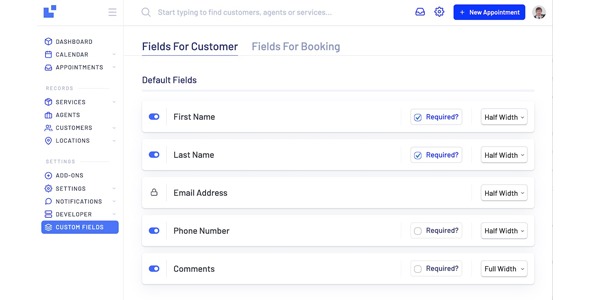
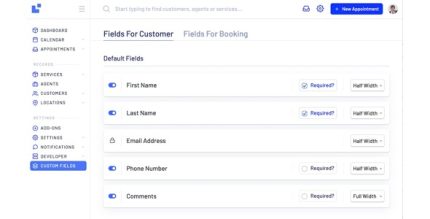
LatePoint Custom Fields Addon is a WordPress plugin that lets you add custom fields to your booking form, saving data per booking or on the customer profile. Capture tailored information to improve scheduling accuracy and CRM efficiency, with flexible field types and seamless LatePoint integration.
Description
LatePoint Custom Fields Addon is a WordPress plugin that helps you collect tailored information on your booking forms. It adds custom fields so customers can submit the details you need at the moment of scheduling. Instead of losing valuable context, the addon can save the answers per booking or attach them to the customer’s profile for reuse. This makes LatePoint bookings more accurate and supports smoother workflows in your CRM or contact management process. With flexible field configurations and seamless LatePoint integration, it fits well into appointment and service websites built with WordPress.
Main Features
- Custom booking form fields — Create additional inputs directly on your LatePoint booking form.
- Per-booking data storage — Save entered values for each individual reservation.
- Customer profile attachment — Associate submitted details with the customer profile for future use.
- Flexible field types — Use different kinds of form fields to match the data you collect.
- LatePoint integration — Works specifically with LatePoint booking flows inside WordPress.
- Cleaner booking context — Capture requirements and preferences that reduce back-and-forth.
- Improved CRM efficiency — Keep structured customer data tied to bookings and contacts.
Benefits
- Better scheduling accuracy — Collect the right inputs up front to reduce errors and rescheduling.
- More consistent customer records — Store details per booking or on the customer profile for uniform data.
- Reduced admin time — Minimize manual note-taking by capturing structured information during booking.
- Improved customer communication — Provide staff with clearer context before the appointment starts.
- More streamlined operations — Support efficient coordination between booking data and customer management.
Who is it suitable for?
- Service businesses using LatePoint for appointments and scheduling
- Teams that need specific intake information per booking
- Websites managing customer profiles and repeat bookings
- Agencies building WordPress booking experiences for clients
- Freelancers and consultants scheduling services through WordPress
- CRM-focused organizations that benefit from structured booking data