Noo Before After 1.0.4 – Ultimate Before After Plugin for WordPress
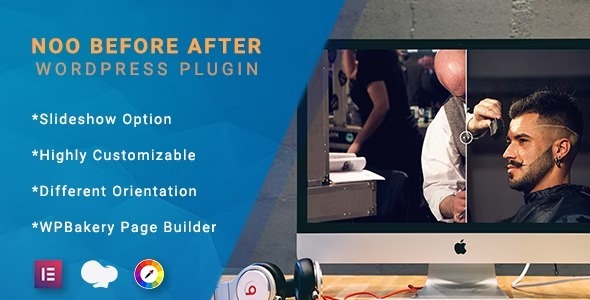
See the power of Noo Before After, a WordPress plugin that creates compelling before-and-after image comparisons with easy labels, colors, offset, and hover effects. It helps you showcase visual changes clearly, boosting engagement and conversions on your site. With extensive customization and seamless integration, it’s the perfect tool for powerful, interactive storytelling.
Description
Noo Before After is a WordPress plugin that helps you create clear before-and-after image comparisons directly on your site. It’s designed to make visual changes easy to understand at a glance, using customizable labels, color styling, and positioning controls. Instead of relying on static images, you can use interactive hover effects to let visitors explore the difference naturally.
Whether you’re showcasing upgrades, transformations, or process results, Noo Before After gives you the tools to present your story with accuracy and visual clarity within your existing WordPress pages and layouts.
Main Features
- Before-after image comparison — Combines two images into a single comparison display for easy visual review.
- Custom label texts — Lets you define clear “before” and “after” wording to match your content.
- Label color options — Choose label colors for readability and consistent branding.
- Offset control — Adjust the alignment/positioning so the comparison sits exactly where you need it.
- Hover effects — Enables interactive viewing to help visitors notice details when they engage with the element.
- Extensive styling customization — Offers multiple configuration options to fine-tune how the comparison looks on the page.
- WordPress-friendly setup — Built for use as a WordPress plugin so you can add comparisons to your site without changing your theme code.
Benefits
- Clearer visual communication — Helps visitors quickly understand what changed and why it matters.
- Higher engagement — Hover interaction encourages users to spend more time exploring your content.
- Better conversion chances — Stronger product and project proof can support more confident decisions.
- Improved UX — Consolidates before/after content into one focused element that’s easy to scan.
- More brand consistency — Label text and color customization align the comparisons with your site design.
Who is it suitable for?
- WooCommerce product pages showing improvements, results, or feature upgrades
- Service businesses (renovations, beauty, fitness, repairs) with transformation galleries
- Portfolio websites and creative agencies presenting case studies
- Content creators publishing tutorials, before-and-after edits, and walkthroughs
- Websites that rely on visual storytelling to demonstrate process and outcomes
- Marketing teams updating landing pages with interactive proof