Woocommerce Visibility 5.4

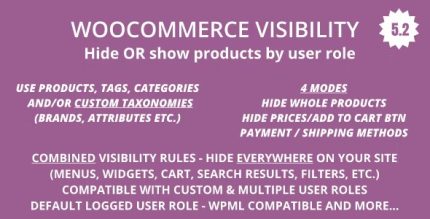
WooCommerce Visibility lets you tailor product access by user role, hiding or showing items site-wide for each group. This precise visibility control improves user experience and conversions. An extra edge is seamless Type: Woocommerce integration with WooCommerce and easy setup.
Description
WooCommerce Visibility is a WooCommerce-focused plugin that helps you tailor which products customers can see on your store. Instead of using one default catalog view, it lets you hide or show specific products site-wide based on user role. This solves the common issue of customers encountering irrelevant items, while different groups (like wholesale, members, or staff) need different catalogs.
Built to work smoothly with WordPress and your existing WooCommerce setup, the plugin provides straightforward configuration and applies visibility rules across the storefront. If you use Elementor, theme templates, or other WooCommerce layouts, the results remain consistent because product access is controlled at the WooCommerce level.
Main Features
- Role-based product visibility — Choose which products are visible for each WordPress/WooCommerce user role.
- Hide or show per role — Control access by either concealing items or making them available for selected groups.
- Site-wide visibility rules — Apply product visibility across the store without relying on manual page changes.
- Product-level control — Decide visibility for specific WooCommerce products rather than entire categories only.
- WooCommerce integration — Designed to work directly with WooCommerce product listings and role concepts.
- Easy setup — Configure rules quickly so you can align the catalog with how visitors are organized.
- Improved catalog targeting — Ensure each user group sees a more relevant selection at first glance.
Benefits
- Better user experience — Visitors spend less time browsing products that don’t match their role.
- Higher conversions — Showing the right items to the right audience reduces friction and improves purchase intent.
- Cleaner storefront navigation — Your catalog appears more focused for each group, avoiding clutter.
- More consistent merchandising — Visibility rules stay aligned across your site, including product archive and listing views.
- Smoother workflow for admins — Manage access through role-based settings instead of duplicating content or templates.
Who is it suitable for?
- WooCommerce stores with member-only or role-specific catalogs
- Wholesale and B2B shops that need different product access by customer group
- WordPress agencies managing multiple WooCommerce sites for different client roles
- Communities and clubs that restrict products to logged-in groups
- Online retailers with separate visibility needs for staff, moderators, and customers