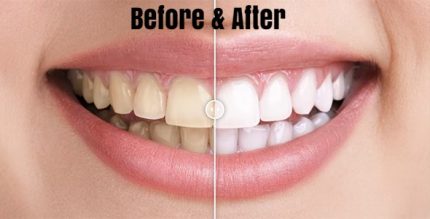
Before & After Images Comparison WordPress Plugin 1.0.1
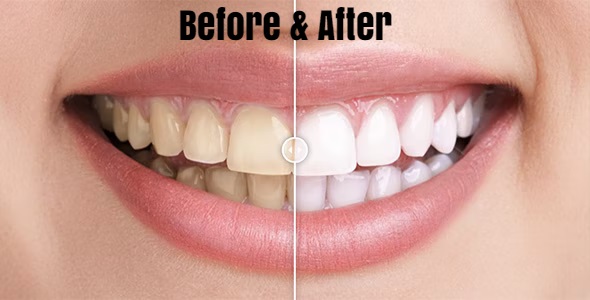
Before & After Images Comparison WordPress Plugin lets you showcase powerful before/after image comparisons on your site, boosting engagement and conversions with simple shortcode or VC element setup (Type: WordPress plugin). Its easy, clean design and flexible integration help visitors visualize results and decide faster.
Description
The Before & After Images Comparison WordPress Plugin helps you present two-step results in a clear, visual format. By showing “before” and “after” images side by side (or in a comparison layout), it makes changes easy to understand at a glance. This solves the common problem of visitors struggling to judge outcomes from static screenshots or paragraphs.
Built for WordPress, it can be added to posts and pages using a simple shortcode or a Visual Composer (VC) element. The clean, straightforward setup supports smooth integration with your existing theme and page layouts, helping visitors engage and decide faster.
Main Features
- Before & after image comparison — Displays two versions of an image so visitors can see the difference clearly.
- Shortcode integration — Insert the comparison anywhere in WordPress content using a shortcode.
- VC element support — Add the comparison through a Visual Composer (VC) element for builder-based workflows.
- Simple configuration — Easy setup focused on quickly creating comparison visuals.
- Clean, readable output — Keeps the comparison presentation clear for users browsing on any screen.
- Flexible placement — Use it across pages, landing pages, and sections where you explain results.
- Theme-friendly design — Fits into existing WordPress theme layouts without requiring major customization.
Benefits
- Higher engagement — Visual comparisons encourage users to interact and stay longer on the page.
- Faster understanding — Visitors can quickly assess improvements without scrolling through long explanations.
- Better product/service storytelling — Makes outcomes more tangible for crafts, renovations, editing, and similar services.
- More confident decisions — Clear before/after proof supports quicker “yes” moments.
- Cleaner page layout — A simple, clean presentation reduces visual clutter compared to manual image setups.
Who is it suitable for?
- WooCommerce stores showcasing product results or transformations.
- Service businesses (renovation, beauty, fitness, photo editing, landscaping) with outcome-focused pages.
- Agencies and freelancers building client landing pages in WordPress.
- Bloggers and content creators who publish visual case studies.
- Marketing teams improving conversion-focused page sections.
- Small businesses using WordPress page builders with shortcode/VC workflows.