Gridbee 1.5 – Content Sharing WordPress Theme
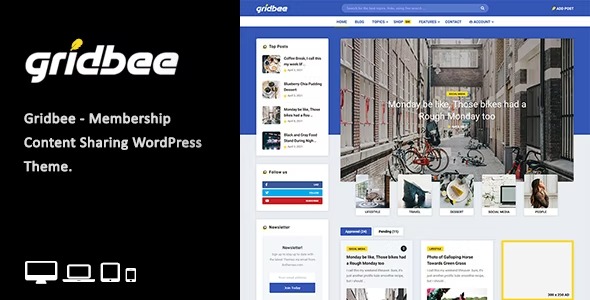
Gridbee WordPress theme enables front-end user content creation, letting visitors post, edit, and share stories with source links on homepage and article pages. This streamlined, user-driven experience boosts engagement and content generation while keeping design clean and responsive.
$45.00
$1.97
-97%
Add to cart
Instant download after purchase
ClamAV scanned · Clean
Plus activation available for this item. Slots included with Full Year +Plus. Should work without activation, but may require it for additional features.
Description
Gridbee is a WordPress theme designed for front-end user content sharing, so visitors can create and manage their own stories without leaving the site. It addresses the common need to turn passive readers into active contributors, strengthening community engagement and ongoing content generation. Using membership-style user publishing, the theme supports a simple workflow for posting, editing, viewing, and deleting user submissions. Posts can also be presented with source links on both homepage and article pages, keeping content transparent and easy to reference.
With a clean, responsive layout, Gridbee helps your content stay readable across devices while giving your pages a consistent structure for user-generated posts.
Main Features
- Front-end post creation — Let users publish new posts directly from the front-end area.
- Post editing for users — Enable contributors to revise their submitted stories after posting.
- Post deletion — Allow users to remove their posts when they no longer want them live.
- User post viewing — Display contributions so visitors can browse stories created by other users.
- Homepage and article layouts — Present user submissions in dedicated homepage and article page contexts.
- Source link support — Include source links for user content on homepage and article pages.
- Clean responsive design — Keep the theme visually focused and properly formatted on mobile, tablet, and desktop.
- Membership user content sharing — Build community publishing workflows using membership-style contributors.
Benefits
- More engagement — Turning visitors into authors encourages repeated interaction and fresh content.
- Better content flow — Front-end creation streamlines publishing, reducing friction for contributors.
- Higher trust — Source links help readers verify references, improving perceived credibility.
- Improved UX — Responsive templates keep user posts easy to read and navigate across devices.
- Content scalability — User-generated stories help your site grow without relying on a single admin pipeline.
Who is it suitable for?
- Membership-based community sites where users share stories
- Blogs that want reader contributions with source references
- Online publications featuring guest submissions from registered users
- Creative communities focused on ongoing user-generated content
- Content platforms that need clear homepage and article presentation
- Educators or course hubs collecting user-shared resources