Order Barcodes for WooCommerce 1.1.0
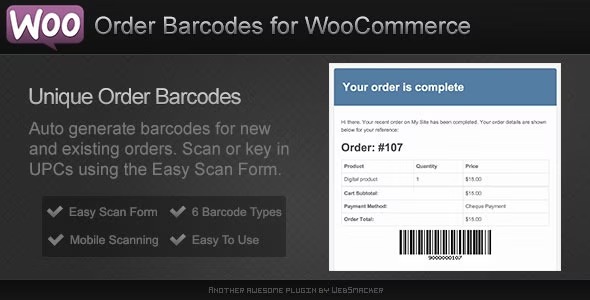
Order Barcodes for WooCommerce is a plugin that adds barcode or QR codes to orders, visible on web and email forms, enabling fast scans. Its built-in scan form lets you fulfill orders or check in customers, delivering a robust e-ticket solution for events, bookings, or reservations.
Description
Order Barcodes for WooCommerce is a WordPress plugin that adds barcode or QR code fields to WooCommerce orders. The codes appear directly below the order details on both the customer-facing web view and the order email. By embedding scannable order identifiers, it helps solve the common bottleneck of manually locating tickets, reservations, or order references during check-in.
With the plugin’s built-in scan form, store owners can quickly scan codes to fulfill orders faster or verify customers on arrival. It’s a practical e-ticket style solution for events, bookings, and reservations—without changing your existing WooCommerce checkout flow.
Main Features
- Barcode and QR code output — Adds a scannable barcode or QR code to each order.
- Works for new and existing orders — Enables adding codes not only after creation but also for orders already placed.
- Web form display — Shows the barcode/QR code below order details on the web.
- Email form display — Includes the barcode/QR code in WooCommerce order emails for easy access.
- Built-in scan form — Lets staff scan codes to manage entry and order verification.
- Fast fulfillment workflow — Helps reduce manual checks by using scan-based identification.
- Event-ready ticketing — Supports event, booking, and reservation use cases with an e-ticket format.
- Simple setup — Designed to fit into a standard WooCommerce order process.
Benefits
- Faster check-in — Scanning order codes reduces wait time and speeds up customer verification.
- Better operational accuracy — Clear barcode/QR placement lowers the risk of misreading order details.
- Improved customer experience — Customers receive scannable information on web and email without extra steps.
- Streamlined order handling — The scan form supports quick fulfillment actions during busy periods.
- Reusable e-ticket style — Works across events, bookings, and reservations while keeping the WooCommerce foundation.
Who is it suitable for?
- WooCommerce stores selling event tickets
- Booking and reservation businesses using WooCommerce
- Agencies managing check-in for clients and attendees
- Teams running workshops, tours, or scheduled sessions
- Organizations offering membership visits and appointments