BackupGuard Pro 1.6.8.4 – WordPress Backup Plugin
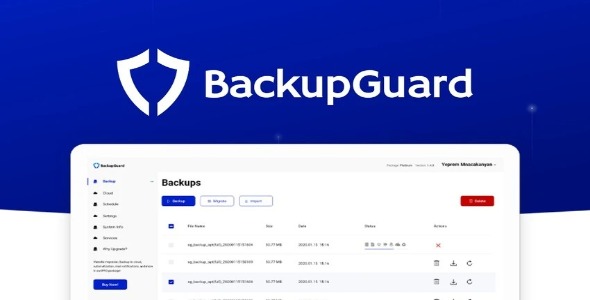
BackupGuard Pro secures your WordPress site with fast backups, one-click restores, and simple cloning in minutes. The main benefit is instant recovery from hacks, crashes, or human error, keeping your site safe and online. Its robust integration, ease of use, and reliable scheduling make it the smart choice for plugin users.
Description
BackupGuard Pro is a WordPress backup plugin designed to help you protect your site with fast, reliable backups. It addresses common risks like hacks, crashes, and human error by making recovery quick and straightforward. With one-click restores, you can return your WordPress site to a working state without complex steps. BackupGuard Pro also supports cloning, so you can replicate a site in minutes for testing, migration, or staging. Built for everyday plugin use, it integrates smoothly with the WordPress admin experience, with clear backup scheduling that keeps protection consistent.
Main Features
- Fast backup creation — Generate backups quickly to reduce downtime during critical moments.
- One-click restore — Restore your WordPress site with minimal effort when something goes wrong.
- One-click site cloning — Clone your site in minutes to create duplicates for testing or setup.
- Scheduled backups — Automate recurring backups so protection stays up to date.
- Hack and crash recovery — Use backups to recover after security incidents or unexpected failures.
- Error rollback — Revert changes caused by mistakes to restore a stable site.
- WordPress-focused workflow — Use plugin controls within your WordPress admin for everyday tasks.
- Backup-to-recovery consistency — Keep backups aligned with restore and clone operations for smoother recovery.
Benefits
- Instant recovery — Shorten restore time and help the site get back online faster.
- Higher resilience — Reduce the impact of hacks, crashes, and accidental changes.
- Better control — Scheduled backups make it easier to stay prepared without manual work.
- Improved workflow — Cloning speeds up staging, testing, and migration planning.
- Smoother management — A simple backup and restore process improves overall site administration UX.
Who is it suitable for?
- Small business WordPress websites
- WooCommerce store owners managing ongoing updates
- Freelancers and agencies running multiple client sites
- Bloggers and content sites needing reliable recovery
- Developers creating staging copies for testing
- Teams supporting regular WordPress maintenance