Galerie 1.0.8 – Tabbed Gallery for Elementor
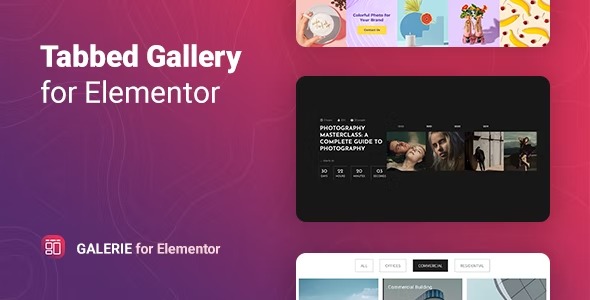
Galerie is a WordPress plugin for Elementor that creates a responsive, attractive grid or masonry image gallery with category filters, helping you showcase stunning work quickly. Its simple setup and fast sorting boost engagement and portfolio impact, with clean design and seamless integration. Explore to transform your visual storytelling today.
Description
Galerie is a WordPress plugin built for Elementor that helps you showcase images in a responsive grid or masonry layout. Instead of manually arranging thumbnails, you can build an organized gallery that automatically adapts to different screen sizes for a clean, consistent look.
With category filters and filter tabs, Galerie lets visitors quickly sort and explore your work, improving browsing flow on portfolio, agency, and company pages. It’s designed for simple setup inside Elementor, so you can add a polished gallery element without complex configuration.
Main Features
- Responsive grid layout — Displays images in a clean grid that adapts to mobile, tablet, and desktop screens.
- Masonry gallery option — Uses a masonry-style arrangement for an attractive, space-efficient visual flow.
- Category filters — Organizes images by category so users can focus on specific types of work.
- Filter tab navigation — Provides quick, tab-based sorting to reduce scrolling and improve discoverability.
- Fast sorting behavior — Helps visitors switch between categories smoothly when browsing your gallery.
- Elementor integration — Works as an Elementor element/widget for seamless page building.
- Simple setup — Lets you create and insert the gallery element with straightforward configuration.
- Clean, modern presentation — Maintains a tidy visual design for portfolio-style layouts.
Benefits
- Quicker discovery — Category filters help visitors find relevant projects without extra effort.
- Better browsing experience — Grid and masonry layouts improve UX by making visual content easier to scan.
- Higher engagement — Faster sorting encourages users to explore more images and categories.
- Consistent mobile viewing — Responsive formatting keeps your gallery looking sharp across devices.
- More organized portfolios — Clean category grouping supports clearer storytelling for creative work.
- Effortless Elementor editing — You can build and adjust gallery placement directly in the Elementor workflow.
Who is it suitable for?
- WooCommerce stores that showcase product or lifestyle imagery in a filtered gallery
- Creative agencies presenting case studies and selected work
- Freelancers building portfolio pages in Elementor
- Companies creating presentation or team/brand sections with visual projects
- Design studios and photographers needing category-based image browsing
- Content teams updating image collections for landing pages