Fashion Art – WooCommerce Elementor Template Kit
| Cetegory: | Fashion & Beauty |
|---|---|
| Full Preview: | Fashion Art |
| More Info: | Themeforest |
| HOW TO INSTALL |
Description
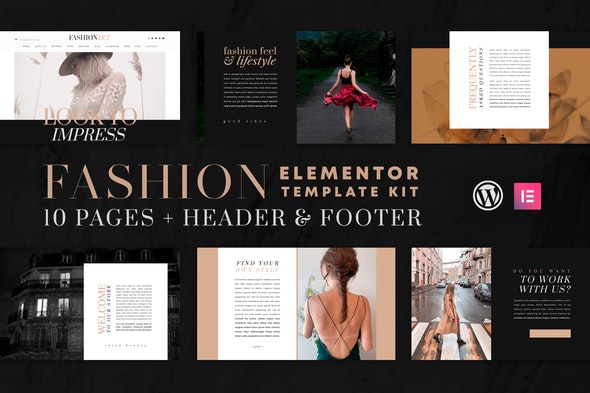
Fashion Art Template Kits is for businesses and entrepreneurs looking for a beautiful feminine layout that supports WooCommerce online shop. Ideal for Boutiques, Fashion Shows, Spas, Beauty Salons, Yoga Classes, Organic Food Store, or whatever you want! It features beautiful typography and a clean modern layout.
Templates
- Home
- About Us
- Services
- History
- Team
- Blog
- Lookbook
- Shop
- FAQ
- Contact
- Header Section
- Footer Section
Features
- 10 Pages + Header & Footer Included
- Clean & Modern Design
- Shop Page Included (WooCommerce Compatible)
- Fully Customizable
Required Plugins
- Elementor
- Essential Addons for Elementor
- Contact Form 7
- OoohBoi Steroids for Elementor
- WooCommerce
- Elementor Header, Footer & Blocks
How to Install:
- Do not unzip the Template Kit.
- Install and Activate the Template Kit Import plugin from Plugins > Add New in WordPress.
- Go to Tools > Template Kit and click the Upload Template Kit button.
- Before importing a template, ensure the Install Requirements button is clicked to activate required plugins.
- For best results, do not import more than one template at a time.
How to import Header and Footer:
Make sure you have installed the Elementor Header, Footer & Blocks plugin. For the header: Go to Appearance Header Footer & Blocks click the Add New button. In the Template type field select Header, in the Display On field select Entire Website. Then click on the Edit with Elementor button and insert the Header Section template. For the footer: Go to Appearance Header Footer & Blocks click the Add New button. In the Template type field select Footer, in the Display On field select Entire Website. Then click on the Edit with Elementor button and insert the Footer Section template.