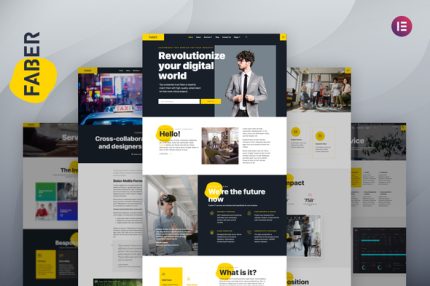
Faber – Tech Company Elementor Template Kit

| Cetegory: | Technology & Apps |
|---|---|
| Full Preview: | Faber |
| More Info: | Themeforest |
| HOW TO INSTALL |
Description
Faber is an Elementor Template Kits build for tech company. Perfect for both startup and established enterprise. The template is pixel-perfect designed making sure your final creation is flexible and easily extendable. Also Faber works flawlessly on various screen size devices.
With 17 page and section templates available youll have your new website ready in no time.
Templates:
Homepage
About
Service
Service Detail
Blog
Single Post
Contact
Faq
404
Career
Career Detail
Header
Footer
Offcanvas
Quote form
Job Application form
Contact / Inquiry form
Features
Header and Footer Builder
How to import Metform custom form
Import metform blocks this indicated by Form suffix in the template name.
Add new Metform form click Edit with Elementor to open in Elementor editor.
Click Add Template grey button.
Click My Templates tab.
Choose your imported elementor template then click Insert.
Once the template is loaded click Update.
Done