WPLiveDojo 1.0.11 – Live Event Text Broadcast Plugin
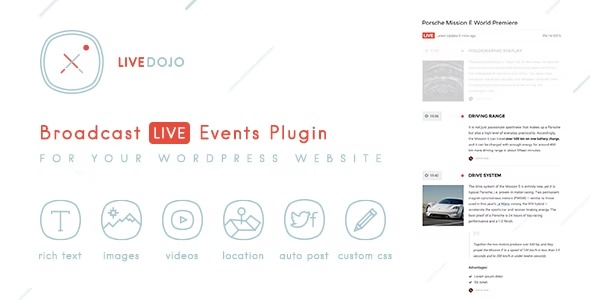
WPLiveDojo lets you broadcast live events directly from your WordPress site with an elegant, user-friendly update UI. The main benefit is effortless, reliable live streams that engage visitors and boost retention. Plus, it offers seamless integration and a clean event management interface—perfect for creators who want to go live with confidence.
Description
WPLiveDojo is a WordPress plugin for broadcasting live events directly from your website. It helps you publish live streams with an elegant, user-friendly update interface that keeps visitors engaged before, during, and after the event. Instead of juggling multiple tools, you can manage events in one place and share updates without disrupting your site workflow. The result is a more consistent viewing experience and easier event organization for your audience.
Designed for creators and site owners, WPLiveDojo focuses on reliable live streaming and a clean event management UI. It integrates smoothly with your WordPress setup so you can go live with confidence and maintain a polished event presence.
Main Features
- Live event broadcasting — Run live events from your WordPress site and present them to visitors where they already are.
- Elegant event update UI — Post event-related updates through a streamlined interface that’s easy to follow.
- Event management interface — Create and organize events with a clear, dedicated management area.
- User-friendly workflow — A simple process for preparing events and publishing updates without complex setup steps.
- Seamless WordPress integration — Fits into your existing WordPress environment so you can continue using your current site design and structure.
- Visitor-focused viewing — Keeps the live experience straightforward for attendees, supporting better engagement during events.
- Reliable live streaming — Helps ensure your broadcasts run smoothly for a dependable audience experience.
Benefits
- Higher retention — Engaging live updates encourage visitors to stay connected to your event.
- Better UX — A clear update interface reduces friction for attendees trying to follow what’s happening.
- More consistent events — Centralized management helps keep event pages and updates aligned across each session.
- Easier operations — A straightforward workflow makes it simpler to prepare and publish live content on schedule.
- Stronger site engagement — Hosting live moments on your WordPress site supports ongoing interaction with your content.
Who is it suitable for?
- Creators and community hosts running regular live sessions
- WordPress site owners managing webinars, demos, or broadcasts
- Event organizers who need clear event updates and scheduling
- Agencies supporting clients with WordPress-based event experiences
- Online learning platforms that want to stream classes or live workshops
- Businesses using WordPress to deliver product launches and live announcements