BuddyPress Contact Me 1.2.2
Description
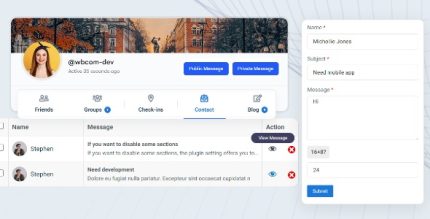
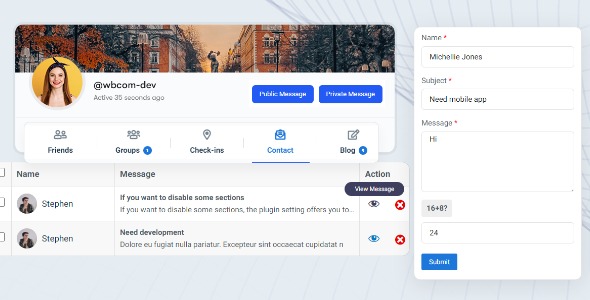
BuddyPress Contact Me is a WordPress plugin designed for BuddyPress communities. It adds a profile-based contact form so visitors can reach registered members directly from their profiles, solving the common “how do I contact members?” question. The plugin helps maintain a member-friendly experience by keeping outreach tied to profiles instead of forcing manual contact details. It also fits naturally into BuddyPress workflows, with notifications and submission logs that members can review.
Members control their participation: they can enable or disable the contact form themselves, and they can access a record of submissions from the profile tab, including email details. For communities using the BuddyBoss Platform, the plugin supports seamless private messaging and outreach alongside BuddyBoss features.
Main Features
- Profile-based contact form — Display a contact form directly on BuddyPress member profiles.
- Member-controlled enable/disable — Let members turn the contact form on or off from their own settings.
- Submission log on profiles — Provide members with a view of contact submissions from their profile tab.
- Email details included — Store and show submitted email information alongside each contact entry.
- BuddyPress notifications — Notify members through BuddyPress when new contact submissions are made.
- Email notifications — Send email alerts for new submissions to keep members informed.
- BuddyBoss Platform support — Works with BuddyBoss to align outreach with private messaging behavior.
- Visitor-to-member outreach — Enables direct communication without requiring visitors to search external contact methods.
Benefits
- Better member UX — Keep contact actions inside BuddyPress profile pages for a smoother experience.
- Higher response likelihood — Notifications and logs help members notice and follow up on messages.
- Greater privacy control — Members can enable or disable the form based on their preferences.
- Clear communication history — Submission logs reduce missed inquiries and simplify review.
- Platform alignment — BuddyBoss support helps outreach fit private messaging workflows in the community.
Who is it suitable for?
- BuddyPress-powered community sites that want profile-based member contact.
- BuddyBoss Platform users who need outreach aligned with private messaging.
- Membership directories where visitors should contact specific members.
- Online communities, forums, and interest groups using WordPress and BuddyPress.
- Agencies building community experiences with BuddyPress-centric templates.
- Content and creator platforms that want structured member inquiries.