Super Forms Email Templates Add-on 1.2.2
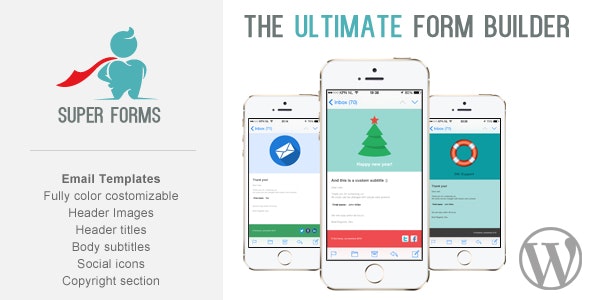
Craft dazzling emails with the Super Forms Email Templates Add-on for WordPress. This WordPress email template system lets you fully customize colors, header images, and footer social icons, delivering responsive designs that look great on mobile and tablets in under 2 minutes.
Description
The Super Forms Email Templates Add-on for WordPress helps you craft polished, responsive emails directly from your Super Forms setup. Instead of relying on generic notification styling, this email template system lets you tailor the visual look to match your brand. You can customize key elements like colors, header imagery, and footer social icons with links. The templates are designed to display cleanly on mobile phones and tablets, improving readability where most users engage.
With quick setup, you can create and adjust email templates in under 2 minutes. This makes it a practical choice for teams that want consistent communication without spending time on manual email markup.
Main Features
- Customizable email colors — Change the colors of your Super Forms emails to match your site branding.
- Header image support — Add any header image you want to set the tone of each email.
- Footer social icons — Include social icons in the footer section of your email templates.
- Clickable social links — Attach URLs to your footer social icons so recipients can navigate easily.
- Fully responsive layout — Ensures emails render well on mobile and tablet screens.
- Email template system — Provides a structured way to design and reuse consistent email layouts.
- Quick configuration — Get templates set up fast and start using them with your forms.
- Control over look & feel — Adjust key design elements to maintain brand consistency across notifications.
Benefits
- More engaging emails — Branded colors and header visuals make messages feel more intentional and professional.
- Better mobile UX — Responsive design improves readability and user experience on smaller devices.
- Higher interaction — Footer social icons with links can increase clicks to your social profiles.
- Consistency across forms — A template-based approach helps keep all Super Forms email notifications aligned.
- Faster email setup — Quick configuration reduces the time needed to prepare new or updated emails.
Who is it suitable for?
- WooCommerce stores using Super Forms for customer notifications and updates.
- WordPress businesses that want branded email communications.
- Marketing teams managing multiple form-driven campaigns.
- Agencies customizing client websites built with Super Forms.
- Content creators and newsletters that rely on form submissions.
- Small teams that need responsive email templates without manual design work.