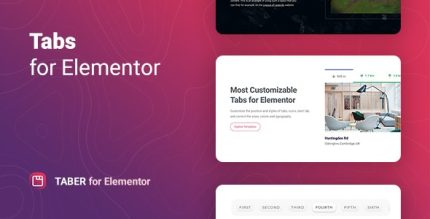
Taber 1.0.13 – Tabs for Elementor

Taber is a WordPress plugin for Elementor that lets you quickly create responsive tabs with any content, from images to video to shortcodes. Enjoy flexible layouts—top, bottom, left, right, or custom positions—optimized for all devices, boosting content clarity and engagement. Lightweight, easy to set up, and perfect for modern UX.
Description
Taber is a WordPress plugin designed for Elementor that helps you build responsive tabbed sections quickly. It solves a common layout challenge: presenting multiple pieces of content without overwhelming visitors on desktop or mobile. With Taber, you can organize images, audio, video, and even shortcode-based content into clean tabs that stay readable across screen sizes. The result is a more focused page experience, with users able to find details faster while you keep your design consistent.
Instead of forcing separate sections, Taber lets you place tabs in flexible layouts and choose the position that best fits your theme and page structure—improving clarity and engagement for modern UX.
Main Features
- Elementor tab builder — Create tabbed content directly in the Elementor workflow.
- Responsive tab layout — Keeps tab navigation and content user-friendly across devices.
- Multiple tab content types — Supports images, audio, video, and other rich media.
- Shortcode support — Display dynamic elements inside each tab via shortcodes.
- Flexible tab positioning — Place tab controls at the top, bottom, left, or right.
- Custom tab placement — Choose positions beyond the standard layouts to match your design.
- Easy content setup — Add the required tab description and media without complex configuration.
- Lightweight behavior — Built to be quick to set up and suitable for streamlined layouts.
Benefits
- Better content clarity — Organizes information so visitors can scan and focus on what matters.
- Higher engagement — Encourages interaction by revealing content in a controlled, compact area.
- Improved UX on mobile — Responsive tabs keep navigation usable on smaller screens.
- More conversions — Helps key details (features, FAQs, demos) stay accessible without long scrolling.
- SEO-friendly structure — Maintains readable, topic-focused sections that support better on-page comprehension.
Who is it suitable for?
- WooCommerce stores that want to present products, specs, or FAQs in a compact layout.
- Service businesses using WordPress and Elementor landing pages.
- Agencies building reusable page sections with Elementor theme or template kits.
- Bloggers and content creators who need organized media galleries.
- Online schools and course sites showcasing lessons, audio/video, or summaries per topic.