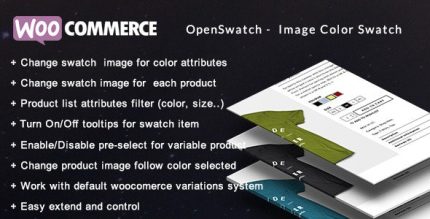
Openswatch 6.1.1 – Woocommerce variations image swatch

Openswatch boosts your WooCommerce store with a suite of new features, making navigation and checkout effortless for customers and increasing conversions. A clean design, smooth integration, and user-friendly controls are key advantages that invite visitors to explore more.
Description
Openswatch is a WordPress and WooCommerce plugin designed to make your online store feel more intuitive for customers. It adds a suite of new improvements that support smoother navigation and a more effortless checkout experience. For store owners, this means visitors spend less time searching and more time moving toward purchase. For customers, the interface feels cleaner and easier to use, with controls that help them complete orders without confusion. Overall, Openswatch helps you create a friendlier shopping flow that can support better conversion performance.
Main Features
- Store navigation enhancements — Improves how shoppers move through your WooCommerce catalog.
- More effortless checkout flow — Helps reduce friction during the purchase steps on your store.
- Cleaner storefront presentation — Maintains a tidy, customer-friendly visual experience across key pages.
- Seamless WooCommerce integration — Works with WooCommerce pages to keep the shopping journey consistent.
- User-friendly configuration — Provides practical plugin controls you can manage from the WordPress dashboard.
- Consistent shopping experience — Keeps product viewing, cart, and checkout aligned for easier decision-making.
- Helps customers find next steps faster — Makes it clearer what to do next while browsing or ordering.
Benefits
- Higher conversions — A smoother journey supports more completed purchases.
- Better UX — Clearer navigation and checkout reduce confusion and drop-off.
- Improved product discovery — Visitors can explore more efficiently and stay engaged longer.
- Fewer purchase obstacles — Streamlined checkout steps help customers finish their orders.
- More consistent store experience — Unified UI across pages builds trust and familiarity.
Who is it suitable for?
- WooCommerce store owners looking to improve customer flow.
- Online retailers that want a cleaner, easier checkout experience.
- WordPress site builders configuring eCommerce experiences.
- Agencies managing multiple WooCommerce websites.
- Brands running product catalogs and promoting purchases directly on their site.
- Content publishers with shop sections who want visitors to convert smoothly.