
WhatsApp Chat 7.2.4
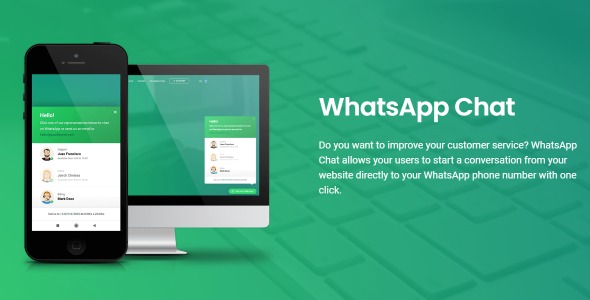
WhatsApp Chat lets visitors start a conversation on your site with one click, sending them straight to your WhatsApp number. As a WordPress plugin, it speeds up support, boosts engagement, and improves conversions with easy setup and seamless integration. Explore it and watch conversations flow.
Description
WhatsApp Chat is a WordPress plugin that lets visitors start a conversation on your site with a single click and send them directly to your WhatsApp number. It reduces friction in customer support by replacing copy/paste or slow contact forms with an instant chat entry point. As a lightweight site integration, it helps your audience reach you quickly while keeping your website experience focused. For WooCommerce stores and content sites alike, it can support smoother lead follow-up and more responsive engagement.
Main Features
- One-click chat entry — Provides a direct action that launches a WhatsApp conversation from your website.
- WhatsApp number targeting — Sends visitors to the configured WhatsApp phone number.
- Visitor-friendly interaction — Lets users begin chatting immediately without extra steps.
- Quick setup for WordPress — Adds the WhatsApp chat option with straightforward configuration.
- Seamless website integration — Works within your existing WordPress site flow so it doesn’t interrupt browsing.
- Supports engagement on key pages — Helps capture interest where customers typically decide to contact or ask questions.
- Conversation-driven communication — Encourages real-time messaging to address inquiries faster.
Benefits
- Faster support — Reduces delays by guiding visitors straight into WhatsApp chat instead of waiting for form submissions.
- Better engagement — Makes it easier for users to reach you, increasing the likelihood of meaningful conversations.
- Higher conversions — Helps prospects get answers quickly, improving decision-making at the moment of interest.
- Simplified contact flow — Lowers user effort, which improves UX and reduces drop-offs during outreach.
- More responsive follow-up — Improves turnaround time for questions, leading to stronger customer relationships.
Who is it suitable for?
- WooCommerce stores needing faster order and product question handling.
- Service businesses offering appointment, quote, or support requests.
- Marketing sites that want to capture leads through instant messaging.
- Agencies running multiple WordPress projects where contact UX matters.
- Content creators and communities who manage inquiries via chat.
- Small teams that want an efficient way to respond to customer messages.
