
WP Sheet Editor WooCommerce Orders 1.4.0
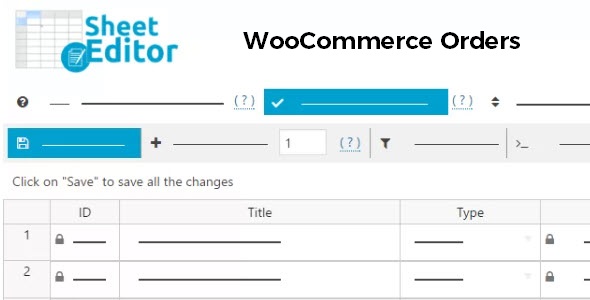
WP Sheet Editor WooCommerce Orders lets you manage all WooCommerce orders in a spreadsheet, editing dates, statuses, shipping, billing, and more in bulk. Includes advanced search, Excel imports, and mass updates to thousands of orders, a quick, user-friendly WooCommerce tool.
Description
WP Sheet Editor WooCommerce Orders is a WordPress plugin that helps you manage WooCommerce orders in a spreadsheet-style view. Instead of editing one order at a time in wp-admin, you can update key order fields in bulk. It’s designed for store owners and teams who need faster order operations and cleaner order data.
With this WooCommerce tool, you can edit dates, statuses, shipping and billing details, and even remove orders—while working across large datasets. Advanced search lets you locate orders by any order field, and Excel import supports bulk updates from spreadsheets.
Main Features
- Spreadsheet-based order management — View WooCommerce orders in a sheet for faster review and bulk edits.
- Bulk editing of order fields — Update fields such as dates, status, shipping, billing, and payment method information in one workflow.
- Order deletion from the editor — Remove selected orders directly from the spreadsheet interface.
- Advanced search by any order field — Find specific orders using filters tied to order data.
- Excel import — Import order data from Excel to streamline mass updates.
- Mass updates at scale — Update thousands of orders at once to reduce repetitive admin work.
- Quick, user-friendly workflow — Operate on order data more efficiently with a spreadsheet-style UI.
Benefits
- Less manual admin — Bulk edits cut time spent updating each WooCommerce order individually.
- More accurate order updates — Targeted field changes help keep shipping, billing, and payment information consistent.
- Faster order lookups — Advanced search improves turnaround when locating orders by specific attributes.
- Streamlined workflows — Excel import supports smoother coordination between spreadsheets and your WordPress store.
- Better operational scalability — Handle large volumes of orders efficiently with mass updates.
Who is it suitable for?
- WooCommerce store owners managing high order volumes.
- E-commerce teams handling frequent status, date, and address updates.
- Operations managers who use spreadsheets for order processing.
- Agencies supporting multiple WooCommerce websites.
- Admins who need advanced search across order fields.
- Businesses that import order data from Excel for batch corrections.
