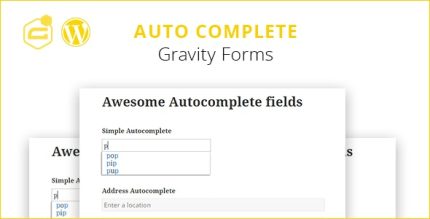
Gravity Forms Auto Complete 1.8.8 with address field
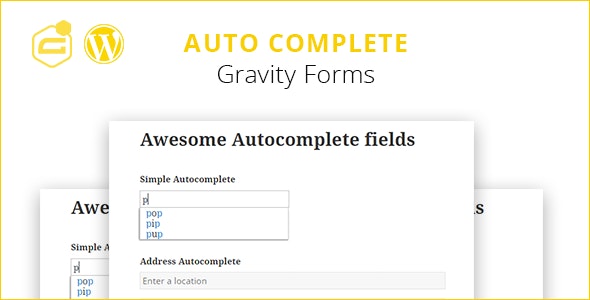
Gravity Forms Auto Complete is a Wordpress plugin that adds an autocomplete field to Gravity Forms, speeding up form filling by suggesting completions as you type. The main benefit is faster data entry and less effort for users. Plus, it’s easy to set up and improves accuracy with smart suggestions.
Description
Gravity Forms Auto Complete is a WordPress plugin that enhances Gravity Forms by adding an autocomplete field to your form fields. As visitors start typing, it suggests likely completions based on what has been entered, so they can complete inputs faster.
This addresses a common form-filling problem: repeated typing and user uncertainty when they need to find or enter specific information. By offering suggestions while the user types, it reduces effort and helps people submit forms with less friction.
Designed as an add-on for Gravity Forms, it’s straightforward to set up and intended to improve input accuracy through smart, context-aware completions.
Main Features
- Autocomplete field for Gravity Forms — Adds suggestion-based input directly inside your Gravity Forms fields.
- Live suggestions while typing — Shows possible completions as the user enters characters.
- Faster form completion — Helps users finish inputs with fewer keystrokes.
- Improved input accuracy — Encourages users to select from suggested options instead of guessing.
- Easy setup — Configures autocomplete behavior as part of your existing Gravity Forms workflow.
- Works with existing forms — Integrates into Gravity Forms so you can enhance established form pages.
- Smart completion behavior — Suggests completions that match what the user has already typed.
Benefits
- Reduced typing effort — Users spend less time entering data manually.
- Higher completion rates — Faster inputs can lead to more completed submissions.
- Better data consistency — Suggestions help standardize responses and reduce entry errors.
- Improved user experience — Autocomplete feedback makes forms feel smoother and more guided.
- Less user confusion — Clear options while typing help users find the right value quickly.
Who is it suitable for?
- WooCommerce stores using Gravity Forms for checkout-related requests.
- Service businesses collecting leads, bookings, or customer details via forms.
- Agencies building client sites with WordPress and Gravity Forms.
- Content publishers using forms for newsletter signups and inquiries.
- Online course and training sites gathering learner information.
- Any WordPress site that wants to speed up form filling and reduce input mistakes.