Prices By User Role for WooCommerce 5.2.1.1
Description
Prices By User Role for WooCommerce helps you display different product prices based on WordPress user roles, making wholesale and member pricing straightforward. Instead of maintaining separate catalogs, you can define price rules tied to roles that already exist in your WordPress setup. This improves how logged-in customers experience your store and reduces confusion caused by one-size-fits-all pricing. It also includes catalog mode controls, so you can manage what shoppers see on the storefront to support your preferred buying flow.
Designed for WooCommerce stores, the plugin integrates with your existing product pages and ordering process, with an easy-to-configure setup inside the WordPress admin. If you want better pricing personalization and clearer product presentation, this role-based pricing & wholesale plugin provides a practical way to do it.
Main Features
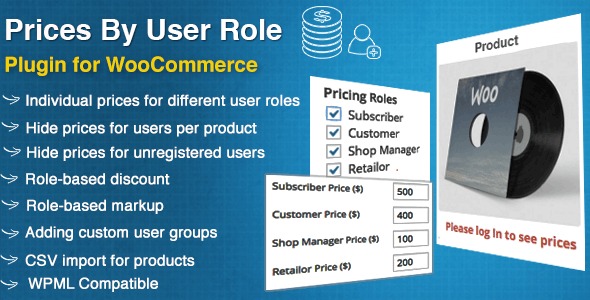
- Role-based price tiers — Set different prices for WooCommerce products by WordPress user role.
- Wholesale and member pricing — Manage dedicated pricing for B2B buyers and registered members.
- Catalog mode support — Control storefront visibility to reduce price or purchase exposure when needed.
- Visibility rules — Adjust what shoppers can see on product pages to match your sales strategy.
- WooCommerce integration — Works directly with the WooCommerce product experience for consistent storefront behavior.
- Admin-friendly configuration — Set up pricing and visibility options from the WordPress dashboard.
- Works with existing user roles — Uses the roles already defined in WordPress, avoiding extra account structures.
Benefits
- Higher conversions — Tailored pricing for each role helps buyers decide faster.
- Better user experience — Customers see pricing that matches their membership or wholesale status.
- Clearer store presentation — Catalog mode helps you manage visibility and reduce storefront clutter.
- More consistent pricing — Centralized rules reduce errors compared to manual price changes.
- Smaller support workload — Fewer pricing misunderstandings lowers questions from logged-out visitors.
Who is it suitable for?
- WooCommerce wholesale stores selling to distributors or B2B customers
- Membership sites that offer role-based pricing for logged-in members
- Agencies managing multiple WordPress and WooCommerce client shops
- Ecommerce brands using selective visibility or catalog-style storefronts
- Online businesses that rely on WordPress user roles for segmentation
- Product catalogs that need controlled display before onboarding customers