Image Upload for bbPress Pro 2.2.1
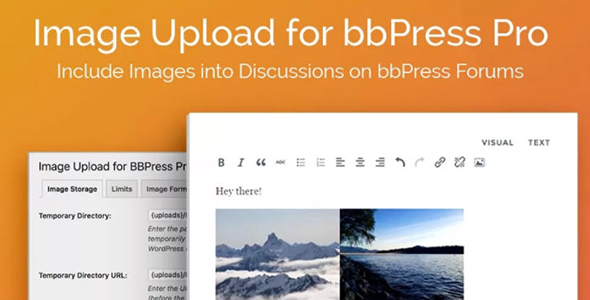
Image Upload for bbPress Pro lets users insert images into topics and replies in bbPress with a drag-and-drop uploader. As a WordPress solution, it boosts engagement by enabling clear visuals. It offers seamless integration, a clean UI, and easy setup—ideal for a stronger forum experience.
Description
Image Upload for bbPress Pro is a WordPress plugin that lets visitors add images directly to bbPress forums. It enables users to insert visuals into both topics and replies, making posts easier to understand at a glance. Instead of relying on links or copy-paste workflows, the plugin uses a drag-and-drop uploader that fits naturally into the bbPress posting experience. The result is a cleaner forum UI and a smoother way to communicate with members.
For community sites that use the bbPress Pro setup, this plugin helps increase engagement by improving clarity with real-time visual content, while keeping the process simple for everyday users.
Main Features
- Drag-and-drop image uploader — Upload images by dragging files into the bbPress posting area.
- Image insertion in topics — Add visuals when creating new bbPress topics.
- Image insertion in replies — Attach images to bbPress replies to provide supporting context.
- User-friendly interface — A straightforward uploader experience designed for quick media additions.
- Seamless bbPress Pro integration — Built to work with bbPress topic and reply workflows.
- Clean posting experience — Keeps the forum editor focused on writing and adding media.
- Easy setup in WordPress — Activate the plugin to enable image uploads in the bbPress forum forms.
- Improved visual communication — Makes it easier for members to share screenshots, diagrams, and examples.
Benefits
- More engaging discussions — Visual content encourages interaction and keeps threads active.
- Better clarity — Images help readers understand questions and responses faster.
- Higher reply quality — Users can include examples, screenshots, or steps alongside text.
- Smoother UX for visitors — Drag-and-drop reduces the effort of adding media during posting.
- Consistent forum experience — Media uploads stay aligned with bbPress topic and reply creation.
Who is it suitable for?
- bbPress Pro forum owners who want richer topic and reply content
- Community and membership websites focused on visual communication
- Online support and troubleshooting forums needing screenshots and examples
- WordPress agencies customizing community platforms with bbPress
- Educators and course communities that rely on illustrated explanations