Wauki 1.1 – Fullscreen WordPress Menu
Description
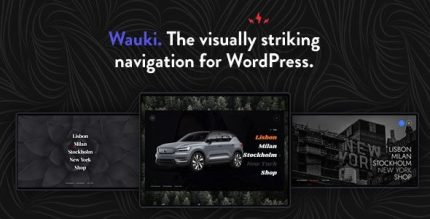
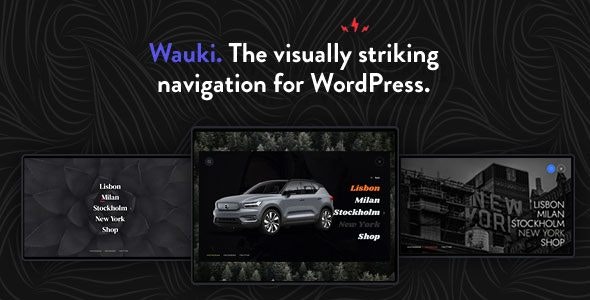
Wauki is a WordPress plugin that adds a multi-level fullscreen menu to your site, turning standard navigation into a visually engaging experience. It helps solve the problem of menus that feel cramped or outdated on modern screens by using a full-screen layout that stays clear and accessible. The result is navigation that looks intentional while keeping your structure easy to manage.
Designed to be fast and simple to set up, Wauki works across devices “big and small” and can fit naturally into an existing website. With extensive customization options, it supports different theme styles without requiring major development changes. If you’re using themes and templates to build client sites, Wauki can save time while improving the overall UX.
For WordPress users who want responsive, client-friendly navigation, Wauki provides a flexible way to elevate your menu presentation. Its performance-focused behavior and configurable approach make it practical for ongoing updates as your site grows.
Main Features
- Multi-level fullscreen navigation — Supports deep menu structures inside a fullscreen menu interface.
- Responsive cross-device layout — Adapts the menu experience for desktops, tablets, and mobile screens.
- Theme-friendly compatibility — Can be added to any WordPress theme to match existing site styles.
- Highly customizable appearance — Lets you adjust how the menu looks so it blends with your design.
- Flexible integration into existing sites — Fits naturally into a current website without rebuilding navigation from scratch.
- Ultra-easy setup — Quick configuration so you can deploy a polished menu faster.
- Performance-focused behavior — Emphasizes quick response times for a smoother navigation feel.
- Reusable menu structure — Keeps navigation organized as your pages and sections expand.
Benefits
- Better UX on any screen — Fullscreen, responsive navigation reduces scrolling friction and improves readability.
- More engaging browsing — Visually striking menus encourage visitors to explore multiple sections.
- Quicker site builds — Faster setup helps reduce development time during WordPress project delivery.
- Consistent brand experience — Customizable styling aligns the menu with your theme and design system.
- Scales with your content — Multi-level structure supports growing navigation without restructuring everything.
Who is it suitable for?
- WordPress website owners who want an improved, fullscreen navigation experience
- WooCommerce store sites needing clearer product and category navigation
- Web agencies building theme-based client websites and template kits
- Freelancers creating multiple WordPress projects with consistent UX patterns
- Content-focused sites with deep page hierarchies that require multi-level menus
- Organizations upgrading legacy menus to a more modern, responsive layout