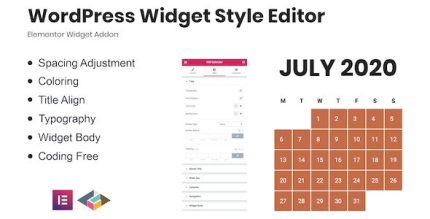
WordPress Widget Style Editor Elementor Addon 1.0.2

WordPress Widget Style Editor Elementor Addon lets you style default WordPress widgets directly in Elementor, turning ordinary widgets into visually polished elements. Enjoy seamless integration, easy styling, and precise control over colors, typography, and spacing to speed up page builds as a Wordpress addon.
Description
WordPress Widget Style Editor Elementor Addon is a WordPress plugin designed to style default WordPress widgets directly inside Elementor. Instead of relying on widget output that only matches your theme’s defaults, you can bring widgets into your Elementor page workflow and refine their look to match your design.
This Elementor addon helps solve the common problem of inconsistent widget styling across pages and template kit layouts. With style options for key visual settings like colors, typography, and spacing, you can turn ordinary widgets into polished, cohesive elements without rebuilding them from scratch.
Main Features
- Widget styling inside Elementor — Apply styles to built-in WordPress widgets while working in the Elementor editor.
- Uses default WordPress widgets — Bring existing widgets into Elementor without replacing your widget setup.
- Color controls — Customize widget appearance using color options for a more consistent visual theme.
- Typography options — Adjust text styling (such as font-related settings) to align widgets with your site’s typography.
- Spacing adjustments — Fine-tune padding and spacing so widgets fit neatly within Elementor layouts.
- Elementor template kit integration — Display WordPress widgets on Elementor kit pages and adjust their style for uniform results.
- Seamless workflow — Keep layout and styling in one place to reduce context switching between the WordPress editor and Elementor.
Benefits
- More consistent design — Color, typography, and spacing controls help widgets match the rest of your Elementor pages.
- Faster page builds — Styling built-in widgets in Elementor reduces the need for extra custom work for each page.
- Better UX — Clean spacing and legible typography improve readability and layout harmony.
- Higher conversion potential — Well-presented widget sections (like lists or calls to action blocks) can support stronger engagement.
- Reusable styling for kits — Make widget output easier to maintain across an Elementor theme/template kit.
Who is it suitable for?
- WooCommerce and content sites that use WordPress widgets across pages
- Web designers building layouts with Elementor and a reusable template kit
- Agencies standardizing widget styling for multiple client sites
- Bloggers and publishers who want consistent widget presentation
- Site owners migrating toward Elementor-based design without losing widget functionality