ReBar 2.1.1 – Reading Progress Bar for WordPress Website

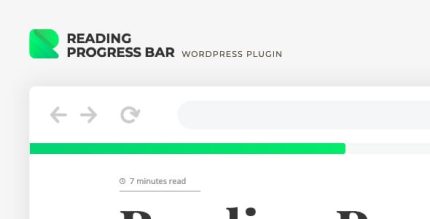
ReBar is a WordPress plugin that adds a sleek reading progress bar to the top or bottom of posts, guiding readers as they scroll. It enhances UX by visually tracking progress with customizable colors or gradients, delivering a smoother, more engaging blog experience. Lightweight, easy to install, and ready to boost time-on-page—explore it now.
Description
ReBar is a WordPress plugin that adds a sleek reading progress bar to the top or bottom of posts. As visitors scroll through an article, the bar fills to visually indicate how far they’ve progressed. This helps solve a common UX issue on long-form content: readers can lose track of what’s left, which may reduce engagement. With customizable colors and gradient options, ReBar blends with your site’s design while staying lightweight and simple to install. Ideal for blog posts, it supports a smoother reading experience and encourages more time on page.
Main Features
- Scroll-based progress tracking — Fills the bar as the reader moves through the post content.
- Top or bottom placement — Positions the progress bar where it best fits your theme layout.
- Custom color styling — Select a solid color to match your branding and design system.
- Gradient visual options — Use a gradient fill for a more polished, modern look.
- Sleek bar rendering — Provides a clean, unobtrusive visual indicator without cluttering the page.
- Lightweight plugin approach — Designed to be quick to add to your WordPress site without heavy setup.
- Easy installation in WordPress — Straightforward installation and activation for blog-focused workflows.
Benefits
- Improved user experience — Readers instantly understand how much content remains as they scroll.
- Better engagement signals — Clear progress cues can support longer sessions on long posts.
- More consistent page design — Custom colors and gradients help the bar match your existing aesthetics.
- Cleaner reading flow — A subtle UI element reduces uncertainty without distracting from the text.
- Higher time-on-page potential — Encourages visitors to continue through articles to completion.
- Simple to manage — Lightweight setup keeps maintenance minimal for everyday WordPress publishing.
Who is it suitable for?
- Blogs publishing long-form articles and guides.
- WooCommerce store blogs that use posts to attract organic traffic.
- WordPress site owners focused on improving on-page UX.
- Content creators who want a cleaner reading experience.
- Agencies building multiple WordPress sites with consistent UI elements.
- Editorial teams publishing frequently and maintaining a uniform layout.